
Cloud Flow Development
Build automated, instant, and scheduled cloud flows that trigger actions across your business applications. We implement reliable automation that integrates with Microsoft 365, Dynamics 365, and hundreds of connectors.
Who we are, what we believe in, and the team driving Synapx forward.
The industries we serve and the outcomes we deliver across each sector.
Our Partner Programme: one agreement, with subcontracting and referral routes to grow together.
How Microsoft funding programmes can support your project, subject to Microsoft's eligibility and approval.
Join a team of Microsoft specialists building the future of data and AI.
Upcoming webinars, Microsoft In a Day workshops and executive briefings from our team.
Microsoft Power Platform
Approvals chased by email, data rekeyed between systems, month-end rituals that swallow whole days. We automate the work your people still do by hand, using Power Automate cloud flows, desktop flows and RPA, with the business case proven before we build.
The Future of Business Efficiency
Every organisation has work that people do by hand purely because nobody has automated it yet: copying data between systems, chasing approvals, saving attachments, assembling the same report every Monday. This page is about removing that work. We design and build Power Automate solutions that take repetitive tasks off your teams, cut the errors that come with manual handling, and hand the hours back. Where the fix is an interface rather than an automation, our Power Apps practice covers that side.
Business Process Automation is a core Synapx practice rather than a side offering. Finance approvals, HR onboarding, procurement, case management: the processes that quietly consume whole teams are where automation pays back fastest, typically removing 40 to 80 percent of the manual effort involved. We score candidate processes on volume, stability and complexity during discovery, so the business case exists before the first flow does.
The engineering discipline matters as much here as anywhere. Flows ship in solutions with ALM, error handling that distinguishes a retry from a real failure, and monitoring that catches breakage before the business does. The Ocean Conservation Trust eliminated manual re-entry of subscriber data entirely, and Seras Energy cut manual processing by 30% with automation around their materials operation.
Automation Credentials Behind Every Engagement



Build automated, instant, and scheduled cloud flows that trigger actions across your business applications. We implement reliable automation that integrates with Microsoft 365, Dynamics 365, and hundreds of connectors.
Automate legacy system interactions and complex processes with robotic process automation. Our desktop flows handle UI-based workflows, data extraction, and repetitive tasks that span multiple applications.
Standardise and guide your teams through defined processes with visual business process flows. We design workflows that ensure consistency, improve compliance, and enhance process visibility across your organisation.
Implement sophisticated approval processes with conditional routing and escalation rules. Our solutions streamline decision-making, ensure accountability, and maintain audit trails for compliance.
Connect disparate systems and keep data moving between them through Power Automate. We architect integration patterns that synchronise data, trigger cross-system actions, and maintain consistency.
Build resilient automation with comprehensive error handling and retry logic. We design workflows that gracefully handle failures, notify stakeholders, and prevent data inconsistencies.
Connectors for apps and services
Error reduction (Forrester research)
Microsoft Certifications
Typical manual-effort reduction
Typical manual-effort reduction on automated processes
Payback on most automation investments
From discovery to first automation in production
Flows governed under a Power Platform CoE
Automatically save email attachments to a specified cloud storage or system. This reduces manual effort, ensures important documents are systematically stored, and enhances data accessibility and organisation.
Streamline the process of managing holiday requests and approvals. Power Automate can automate request routing, notifications, and record-keeping, reducing administrative workload and improving the efficiency of leave management.
Set up automatic reminders for overdue tasks. This ensures that critical deadlines are met and helps in maintaining project timelines, enhancing overall productivity and accountability within teams.
Automate the processing of billing and expense invoices. Power Automate can trigger workflows for invoice generation, approval, and payment processing, significantly reducing manual errors and speeding up financial operations.
Configure Power Automate to send instant email notifications upon triggering of specific Power BI alerts. This ensures real-time awareness of crucial data insights or anomalies, enabling prompt action and decision-making.
Utilise Power Automate to send custom notifications for various events, such as system updates, meeting reminders, or workflow completions. This enhances communication efficiency and ensures relevant stakeholders are always informed.
Our automation specialists complete an in-depth consultation to understand your current business processes and workflows. We identify where automation can have the greatest impact and develop a tailored approach.
A custom automation solution is presented to your team, taking into consideration efficiency, time scale, cost-effectiveness, and your specific project goals.
Our Power Automate developers build and configure automated workflows to upgrade your current business processes, with thorough testing and governance built in from the start.
We train your staff on the new automations and provide hands-on practical experience to ensure a smooth handover. Ongoing support and iteration ensure your automations keep delivering value.
Automation Type
Power Automate gives you two fundamentally different ways to automate, and mixing them up is how automations end up fragile. The distinction is simple once stated plainly: cloud flows talk to systems through APIs; desktop flows drive applications the way a human would.
| Criteria | Cloud Flows | Desktop Flows (RPA) |
|---|---|---|
| How They Work | API-based: connectors call systems directly | UI-based: a bot clicks, types and reads screens |
| Best for | Modern systems with connectors or APIs | Legacy applications with no API to call |
| Reliability | High: APIs are contracts | Needs supervision: screens change without warning |
| Speed & Scale | Fast, parallel, thousands of runs a day | Human-speed, per machine or hosted bot |
| Cost Shape | Per-user or per-flow licensing | Adds attended or unattended bot licensing |
| Choose It When | Almost always, where an API path exists | The system is legacy and replacement is not on the roadmap |
Our rule: automate through APIs wherever one exists, and reserve RPA for the legacy systems that genuinely have no other door. Where desktop flows are unavoidable, they need supervision, which is exactly what our Managed RPA service provides. Most real processes end up as a chain: cloud flows doing the orchestration, a desktop flow handling the one stubborn legacy step.
See how our clients have automated business processes and eliminated manual work with Power Automate.
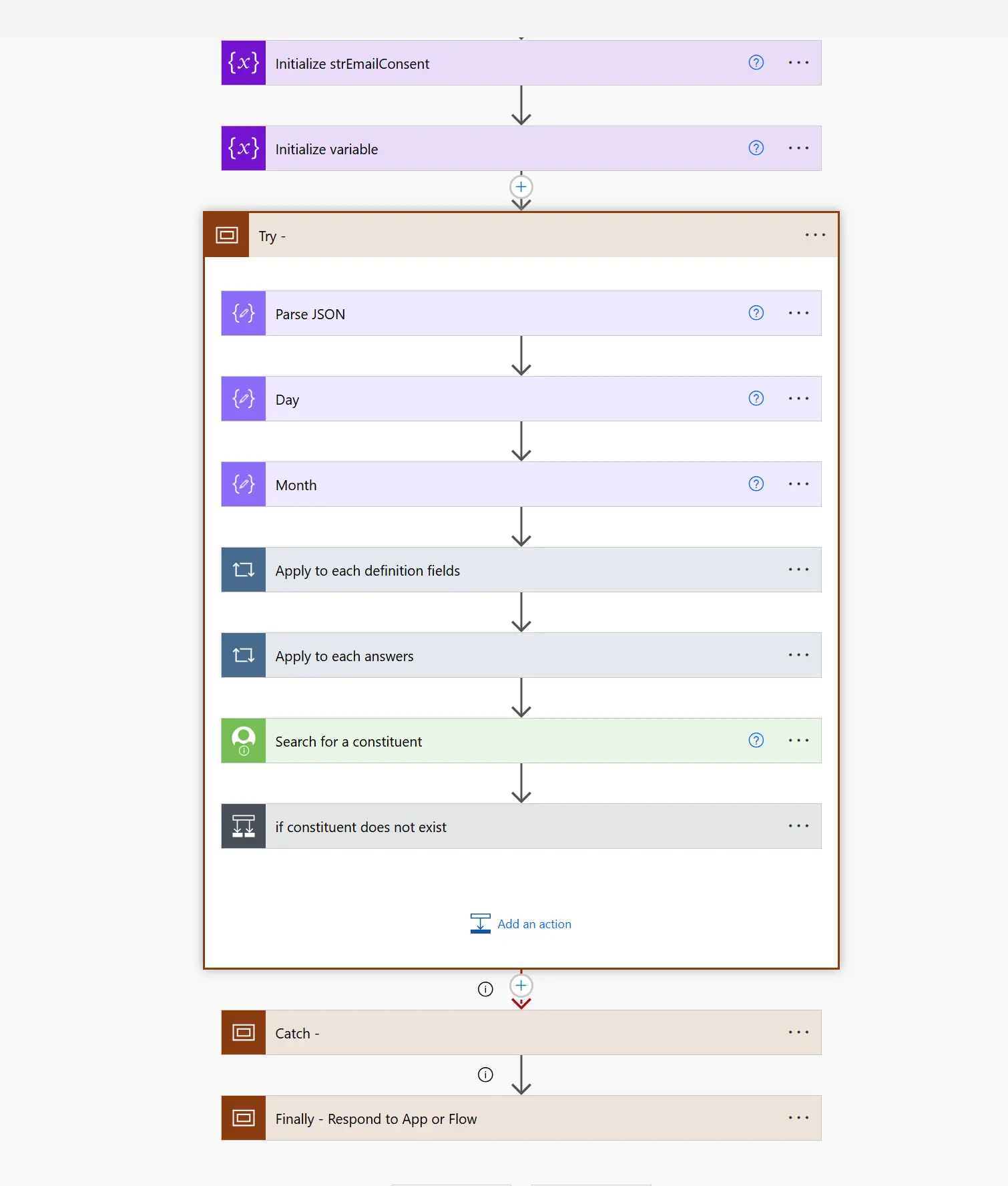
Three Typeform mailing lists unified into a single subscriber database and CRM via Power Automate, delivered in 4.5 days at 34% lower cost than traditional approaches.
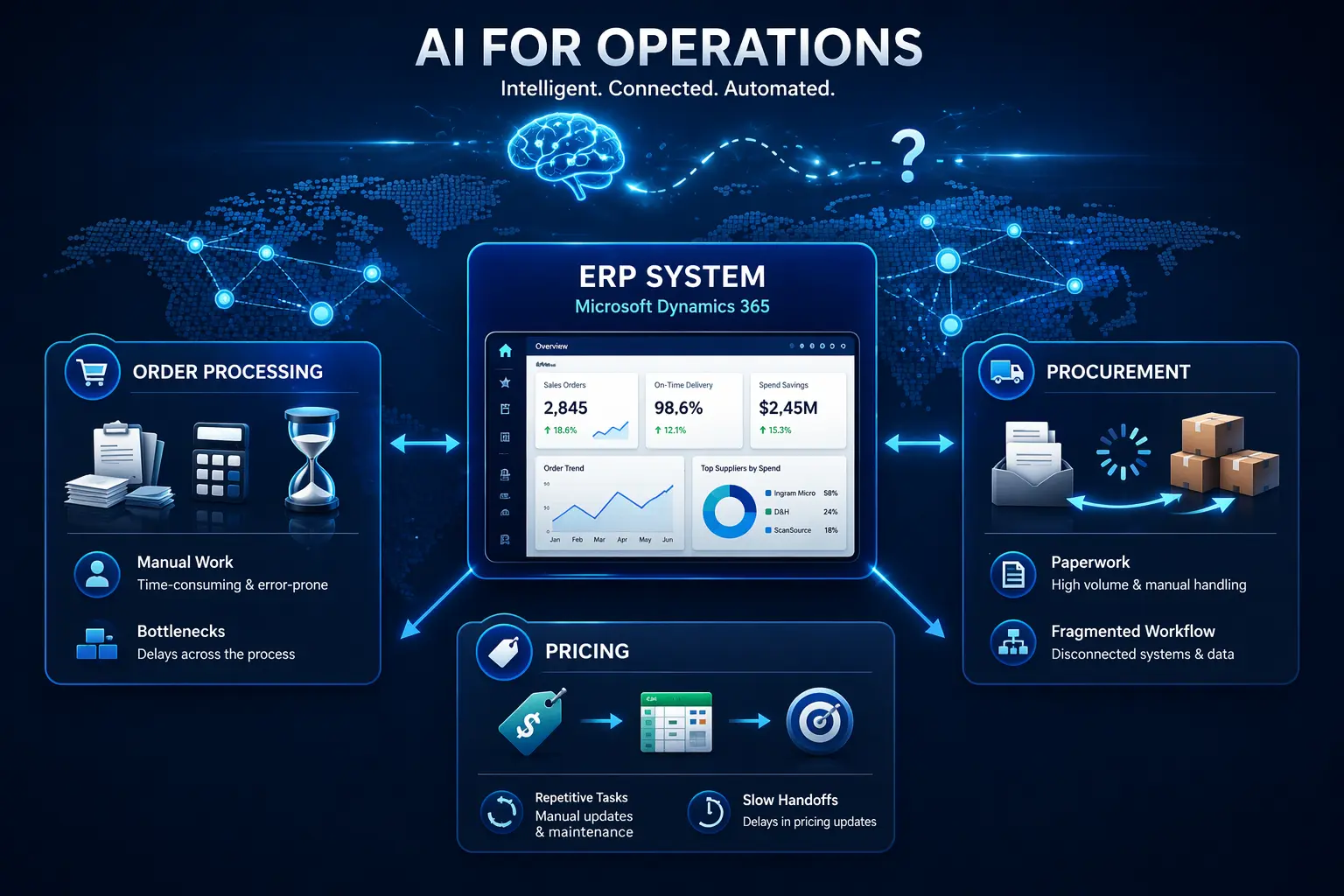
Midwich, a global B2B technology distributor, partnered with Synapx to automate order processing, procurement and pricing using Power Platform and Azure.
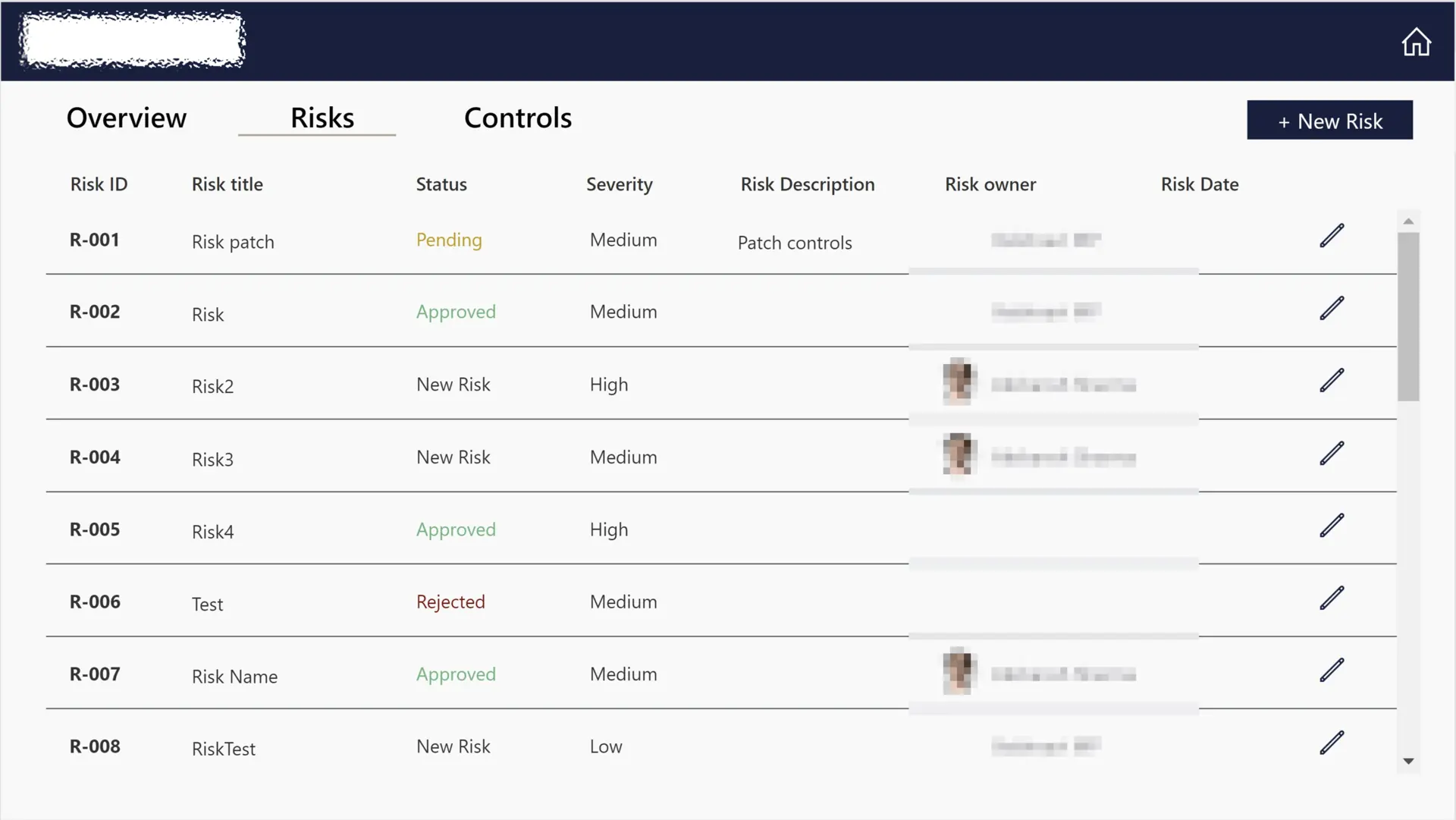
A custom Power Apps risk register replacing fragile Excel spreadsheets, giving compliance teams real-time visibility into control status, ownership, and audit trails.
"A robust digital ecosystem that empowers our teams."
"Synapx automated complex, manual processes, modernised legacy systems, and delivered scalable Power Platform solutions that streamline workflows and provide real-time insights. Their standout achievement was integrating SiteOps for accurate, real-time management of materials and compliance across multiple sites. Thanks to their future-proof architecture, we now have a robust digital ecosystem that empowers our teams."
Head of Projects & Service Delivery, Seras Energy Ltd
"Delivered exactly what we needed, and incredibly responsive throughout."
"Their team delivered exactly what we needed, taking time to understand the purpose and specific requirements. By linking our Typeform online surveys with our Raisers Edge database, using Power Automate, they have enabled us to automate our incoming data processes. From our initial enquiry, scoping and delivery, we found them incredibly responsive and very good to communicate with."

Head of Fundraising, The Ocean Conservation Trust
Business Process Automation is the use of technology to execute recurring business processes – approvals, onboarding, data entry, case management, customer service – with minimal human intervention. Synapx delivers BPA using Microsoft Power Automate, Copilot Studio agents, AI Builder, and Azure Logic Apps, often integrated with existing Microsoft 365, Dynamics 365, and line-of-business systems.
Cloud flows run on Microsoft infrastructure and trigger on events or schedules, using connectors to modern APIs. Desktop flows run on a user machine or unattended agent and drive UI-based (RPA) automation for legacy systems that lack APIs. Synapx uses both, often together, to automate end-to-end processes.
Finance (invoice approvals, PO processing, reconciliation), HR (onboarding, leave, timesheet reminders), operations (case triage, order management, SLA tracking), customer service (ticket routing, chatbot deflection), and knowledge-worker tasks (document generation, data extraction from PDFs/emails using AI Builder).
Across our engagements, typical outcomes are 40–80% reduction in manual effort on the automated process, payback within 6–12 months, and measurable error-rate and cycle-time reductions. We baseline metrics before build and measure impact after go-live.
We establish a Power Platform Centre of Excellence covering environment strategy, DLP policies, solution ALM, monitoring with the CoE Starter Kit, and maker enablement – so citizen-developed automations coexist safely with IT-owned mission-critical flows.






An automation opportunity review maps your highest-volume manual processes, scores each on volume, stability and complexity, and hands you a ranked list of what to automate first.
Book an Automation Opportunity Review