Microsoft Power Platform

Microsoft Power Apps Development & Consultancy

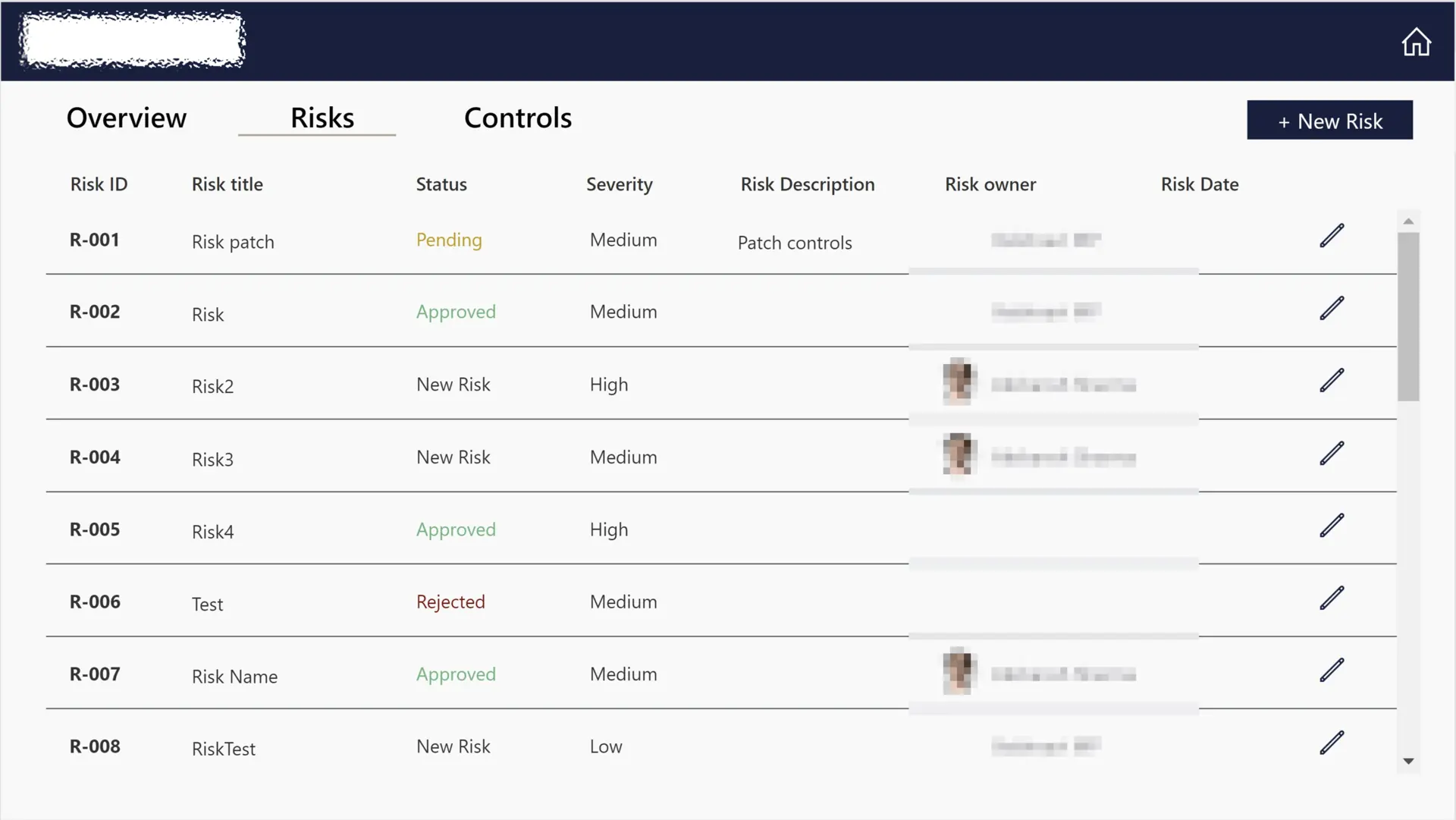
The spreadsheet that runs the process, the inbox where approvals go quiet, the form that still gets printed. We replace those workarounds with governed Power Apps: custom applications connected to your data, working on every device, built on the Microsoft platform you already own.

Easy To Use, Easy To Maintain

What is Microsoft Power Apps?

Most processes never start life in an app. They start in a spreadsheet, grow an email approval step, then quietly become business-critical with no audit trail and one person who understands how they work. This page covers how we turn those processes into Power Apps: governed, low-code applications connected to your data and delivered in weeks rather than quarters.

Power Apps suits almost anything a form and a workflow can describe. Internal tools that remove repetitive manual work, field apps that keep working offline, secure screens over data that currently lives in shared drives. If your teams pass spreadsheets around to get work done, there is very likely an app in there. For processes that need automating rather than an interface, see our Power Automate practice.

What separates a Power App that thrives from one that gets quietly abandoned is rarely the platform; it is the engineering discipline around it. Every app we build ships in solutions with proper ALM, a Dataverse model designed to survive growth, security roles that map to how your organisation actually works, and documentation the next maker can follow.

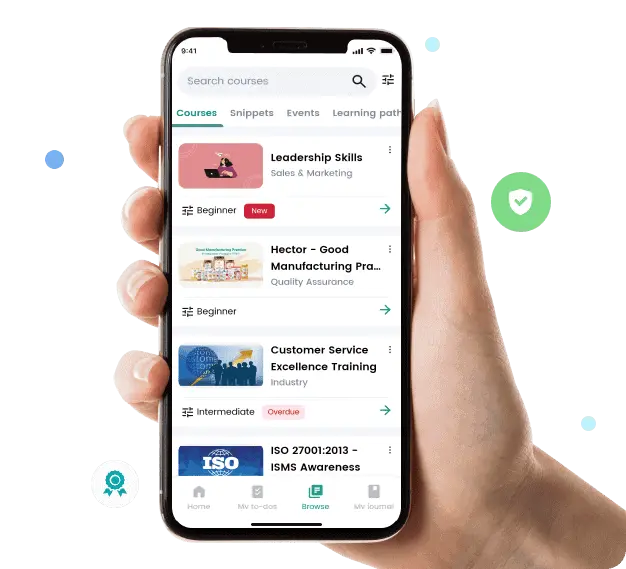
The evidence is on this page. Skanska put an app we built together in front of roughly 9,000 employees and saw adoption increase tenfold. Seras Energy replaced manual material management with an app delivered six weeks ahead of schedule. The pattern in both: real workshops with real users before a screen was designed.

Microsoft Power Apps

Power Apps, delivered by a Microsoft Business Applications Specialist

Business Applications Specialist
App in a Day
App in a Day
What We Deliver

Canvas apps, model-driven apps & integrations

Canvas App Development

Create responsive, user-centric applications with complete design flexibility. We build canvas apps with intuitive interfaces that behave consistently across desktop and mobile devices.

  • Responsive design that works on desktop, tablet and mobile
  • Offline capability for field teams without reliable signal
  • Component libraries so your second app builds faster than your first
  • Performance engineering: apps that stay quick as data grows

Model-Driven Apps

Develop structured, enterprise-grade applications with standardised components and metadata-driven architecture. Our solutions use the model-driven framework for scalability and maintainability.

Custom Connectors

Extend Power Apps connectivity with custom connectors to legacy systems and third-party services. We design secure, authenticated integrations that keep data moving reliably between platforms.

Dataverse Design

Build robust data models in Microsoft Dataverse with proper relationships, security roles, and business rules. Our designs optimise performance and ensure data integrity across your applications.

Mobile App Development

Create native mobile applications that work offline and sync when connected. We develop solutions optimised for field workers, remote teams, and on-the-go access to critical business data.

UI/UX Design

Deliver intuitive interfaces that users love. Our design approach focuses on usability, accessibility, and brand consistency while maintaining performance across all devices.

By the Numbers

Proven enterprise delivery

0

Out-of-the-box connectors

0

of the Fortune 500 use Power Apps

0

Lower costs vs custom development

0

Microsoft certifications across the team

6 wks

From idea to a production Power App for most use cases

100%

Built with ALM, Dataverse and governance in mind

10x

Adoption increase on the Skanska learning platform

9,000

Employees reached by a single app we built with Skanska

Common Use Cases

Where organisations use Power Apps

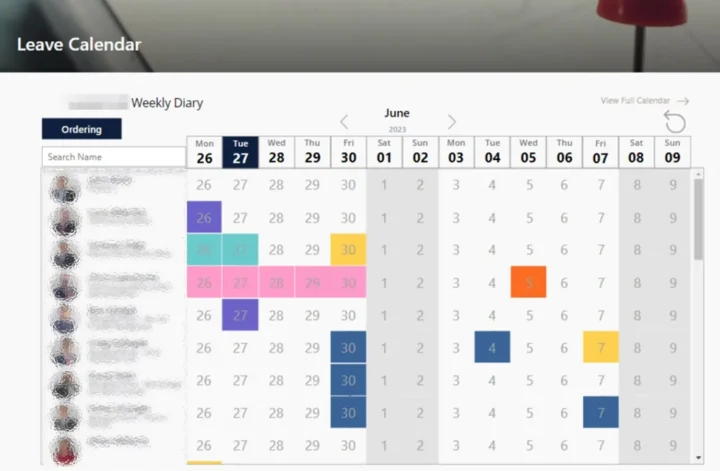
Leave Request Management

Create a customised solution for tracking and managing staff leave requests. Streamline submissions, integrate tracking and approval, and reduce manual administration.

Workspace Reservation System

Develop a bespoke workspace reservation system to allow employees and visitors to easily book meeting rooms and office spaces online, with integrated approval flows.

Inventory Management

Create a tailored inventory management system to track stock in real-time, automate reordering processes, and provide insightful inventory analytics to efficiently manage stock and reduce risk.

Expenses Management

Build a personalised expenses management tool. Enable easy submission and tracking of expense claims, streamline the approval process, and generate comprehensive insights into organisational spending.

Task & Project Management

Construct a custom project task management tool to assist in organising, prioritising, and tracking project tasks, enhancing team collaboration and ensuring successful project completion.

Bespoke CRM System

Develop a Customer Relationship Management system to manage customer interactions, track sales leads, and analyse customer data, providing a comprehensive view of your customer lifecycle.

How We Work

Our Power Apps delivery process

  1. 01 Step

    Consultation

    Our Power App Consultants complete an in-depth consultation to understand the current business process and systems in place. If you are unsure where productivity can be improved, our consultants can collaborate with your team to find limitations and develop a solution.

  2. 02 Step

    Proposal

    A custom solution is presented to your team taking into consideration efficiency, time scale, cost-effectiveness, and your project goals.

  3. 03 Step

    Implementation

    Our Power App developers build a custom application to upgrade your current business process. We develop a framework that helps your users spot opportunities for growth and build on the solution quickly and securely.

  4. 04 Step

    Delivery

    We train your staff on how to use the new application to make the most out of their new app. Our specialists provide hands-on practical experience to ensure a smooth handover process.

App Architecture

Canvas app or model-driven app?

It is the first architectural decision of every Power Apps build, and choosing on instinct is how apps end up fighting their own framework a year later. The honest answer depends on what the app is for, and plenty of estates rightly use both.

Canvas app or model-driven app?
Criteria Canvas apps Model-driven apps
Built around The user experience: you design every screenThe data model: the framework generates the UI
Best for Task-focused apps, mobile and field scenarios, bespoke UXProcess-heavy, record-centric applications at enterprise scale
Design freedom Complete: pixel-level control of every screenConstrained but consistent: forms, views and dashboards
Data sources Hundreds of connectors, Dataverse optionalDataverse-first, with its security model built in
Maintenance UX changes are yours to make and testModel changes flow through automatically
Watch out for Complex apps growing beyond canvas comfortUsers expecting a bespoke interface

Our rule of thumb: canvas when the experience is the product, model-driven when the process is. Larger solutions often pair them, with a model-driven core for administrators and canvas apps for the people in the field. We make the call per app during discovery, and it costs nothing to get it right first time.

Client Voices

From our Power Apps clients

"They listened, challenged our assumptions, and delivered night-and-day results."

"From the very first conversation, Synapx stood out. They didn't offer a one-size-fits-all solution; they listened, understood our workflows, and constructively challenged our assumptions. Since launch, the difference has been night and day: engagement is up, performance is dramatically better, and our teams now have a single, connected space for learning and communication. I'd recommend Synapx to any organisation looking to get more out of Microsoft technology."

Skanska

Project/Programme Manager, Skanska

"A robust digital ecosystem that empowers our teams."

"Synapx automated complex, manual processes, modernised legacy systems, and delivered scalable Power Platform solutions that streamline workflows and provide real-time insights. Their standout achievement was integrating SiteOps for accurate, real-time management of materials and compliance across multiple sites. Thanks to their future-proof architecture, we now have a robust digital ecosystem that empowers our teams."

Seras Energy Ltd

Head of Projects & Service Delivery, Seras Energy Ltd

"Exceptional communication. The final product exceeded our expectations."

"The tool has streamlined our trade management process, reduced manual workloads and significantly improved efficiency and accuracy across our operations. What truly set Synapx apart was their exceptional communication, project management, and dedication to delivering excellence. They kept us informed at every stage, addressed challenges proactively, and ensured the final product exceeded our expectations."

Nuevo Partners UK LLP

Head of Operations, Nuevo Partners UK LLP

FAQ

Power Apps FAQs

Should we use Canvas apps or model-driven apps?

Canvas apps are our default for task-focused, UX-rich scenarios and mobile or offline use. Model-driven apps fit process-heavy, data-model-centric applications, especially when integrated with Dynamics 365. Many estates use both, and we help you pick the right pattern per use case.

How long does a Power Apps build take?

A focused business app typically goes live in 6–10 weeks. Larger line-of-business solutions replacing legacy systems usually run 3–6 months and are often split into multiple releases to deliver value sooner.

When should we NOT use Power Apps?

When requirements demand a highly customised UX at scale, very high concurrent user counts, complex real-time processing or deep non-Microsoft ecosystem integration. We are happy to say so and recommend a different approach when that is the right answer.

How do you handle ALM and governance?

We always use solutions, environment separation (dev / test / prod) and pipelines – either Power Platform Pipelines or Azure DevOps / GitHub Actions – so apps move between environments in a controlled, auditable way.

Can Power Apps integrate with our existing systems?

Yes. We use Dataverse, Microsoft connectors, custom connectors, Azure API Management and Azure integration services to connect Power Apps to CRM, ERP, line-of-business APIs and SaaS platforms.

Can Synapx support the apps after go-live?

Yes. Synapx-as-a-Service includes ongoing support, enhancement and Microsoft update management for Power Apps, so your solutions keep pace with platform changes and business needs.

Our Clients

Trusted by

Glassmoon
Lanware
Micheldever Tyre Services
Midwich
Mount Anvil
Nuevo Partners
Pro Global
Seras Energy
Skanska
Ocean Conservation Trust
WA Comms
Glassmoon
Lanware
Micheldever Tyre Services
Midwich
Mount Anvil
Nuevo Partners
Pro Global
Seras Energy
Skanska
Ocean Conservation Trust
WA Comms

Which spreadsheet should become an app first?

Book an app scoping call and we'll size the build with you, or start with an App in a Day workshop where your team builds a working first version themselves.

Book an app scoping call