


Enterprise AI has spent the last two years living behind a keyboard. Chatbots, copilots, and assistants have delivered real value, but they all assume the same thing: that the person using them is sitting at a screen, ready to type.
A large part of your workforce isn’t. Sales reps are driving between accounts. Field engineers are on site with their hands full. Account managers are walking into meetings. Customer service teams are moving between systems while a customer waits on the line. For these people, the moment they need information is exactly the moment they can’t comfortably stop and type it out.
That’s the commercial case for voice agents. Instead of opening five applications to find one answer, an employee simply asks a question out loud and gets a clear, spoken response grounded in trusted business data. Increasingly, the agent can act on that request too.
This shift matters now because the underlying platform has matured. With Azure AI Foundry, Copilot Studio, and the Microsoft 365 ecosystem, voice agents have moved from novelty to something that can be connected to real systems, governed properly, and deployed against genuine business processes.
What is a voice agent, in business terms?
A voice agent is an AI assistant your people talk to in natural language, which understands intent, retrieves the right information from your systems, and completes tasks on their behalf.
The difference from a traditional chatbot is twofold:
- Hands-free and conversational: designed for people on the move, not at a desk.
- Action-oriented, not just answers: it doesn’t only tell you the price, it can draft the quote, update the record, and notify the right team.
Crucially, a well-built voice agent is grounded in your data. It isn’t guessing from the public internet. It reads your Outlook, looks up your pricing database, and follows your business rules.
A real example: the wine pricing assistant
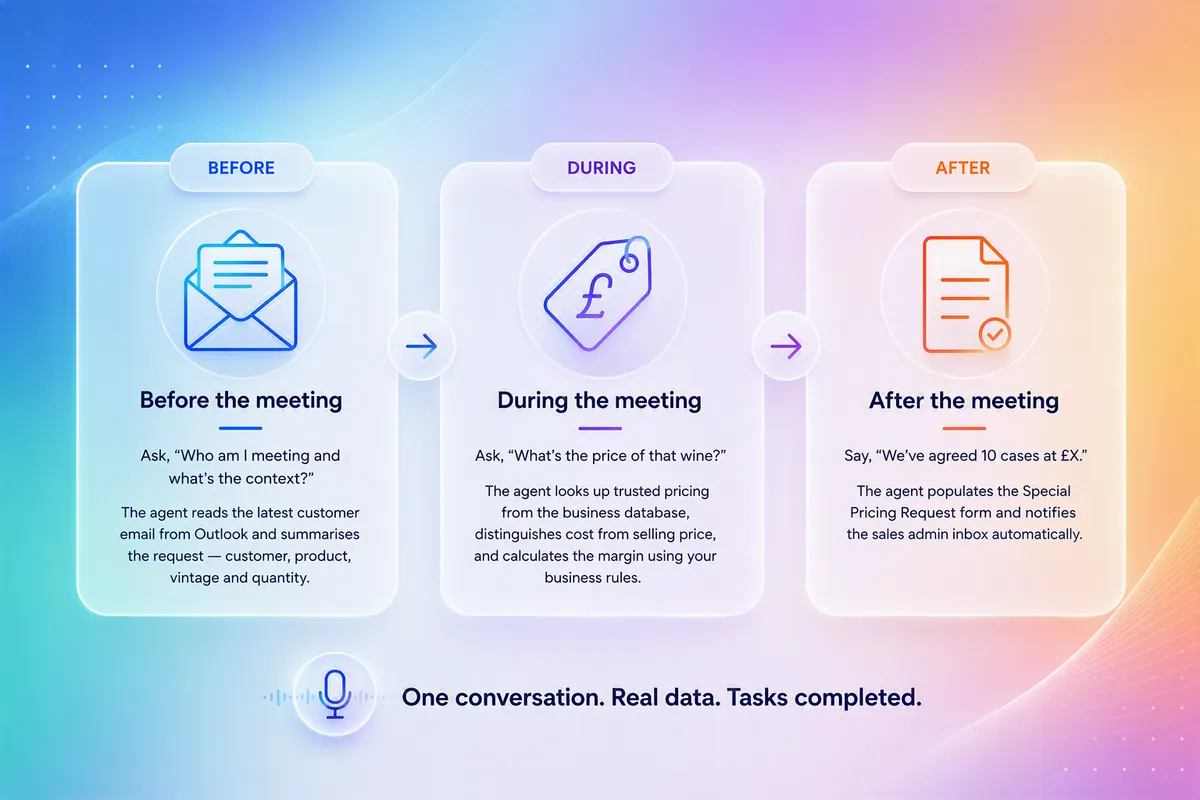
To prove the model, Synapx built a voice agent for a wine sales scenario: an assistant a sales rep could talk to before, during, and after a customer meeting.
What used to mean juggling email, a spreadsheet, and a form on a laptop becomes a short spoken conversation, with the paperwork handled in the background.
What can voice agents connect to?
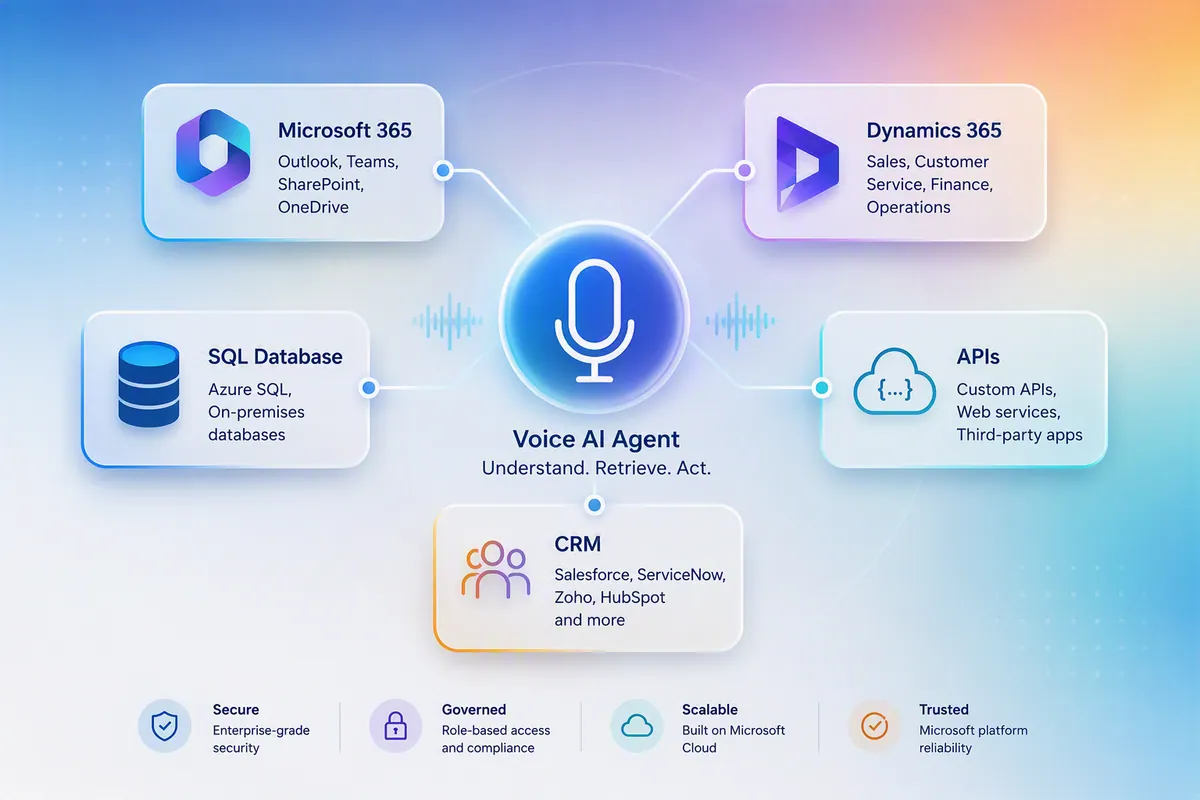
The value of a voice agent is only as strong as what it can reach. Because these agents are built on the Microsoft platform, they connect naturally to the systems your business already runs on:
- Microsoft 365: Outlook, Teams, SharePoint, and OneDrive
- Business applications: Dynamics 365, and other CRM and ERP platforms
- Data sources: SQL databases, data warehouses, and APIs
- Internal systems: pricing engines, knowledge bases, and customer portals
And that’s just the start. With hundreds of ready-made connectors available across the Microsoft ecosystem and the ability to reach almost any system through APIs, the real question is rarely “can it connect?” but “is it worth connecting?”
That’s where a conversation helps. Have a quick chat with us and we’ll tell you honestly whether your specific systems and use case are doable, before you commit to anything.
That connectivity is what turns a voice interface into a genuine productivity tool.
Deep integration with Dynamics 365
For sales-led organisations, the biggest wins come from connecting voice directly to your CRM. A voice agent built on the Microsoft platform integrates natively with Dynamics 365, which means your reps can manage the pipeline without ever opening a screen.
- “Create a new lead for James Grant from Grant Wines.” The agent creates the record, captures the detail, and assigns the owner.
- “Convert that lead into an opportunity worth £50,000.” The agent updates the stage, sets the value, and notifies the sales manager.
- “Log the notes from my last meeting against that account.” It’s captured and filed automatically.
Because the agent lives inside the Microsoft ecosystem, this isn’t a fragile bolt-on. It’s a governed, secure extension of the CRM your team already trusts.
Use cases across the business
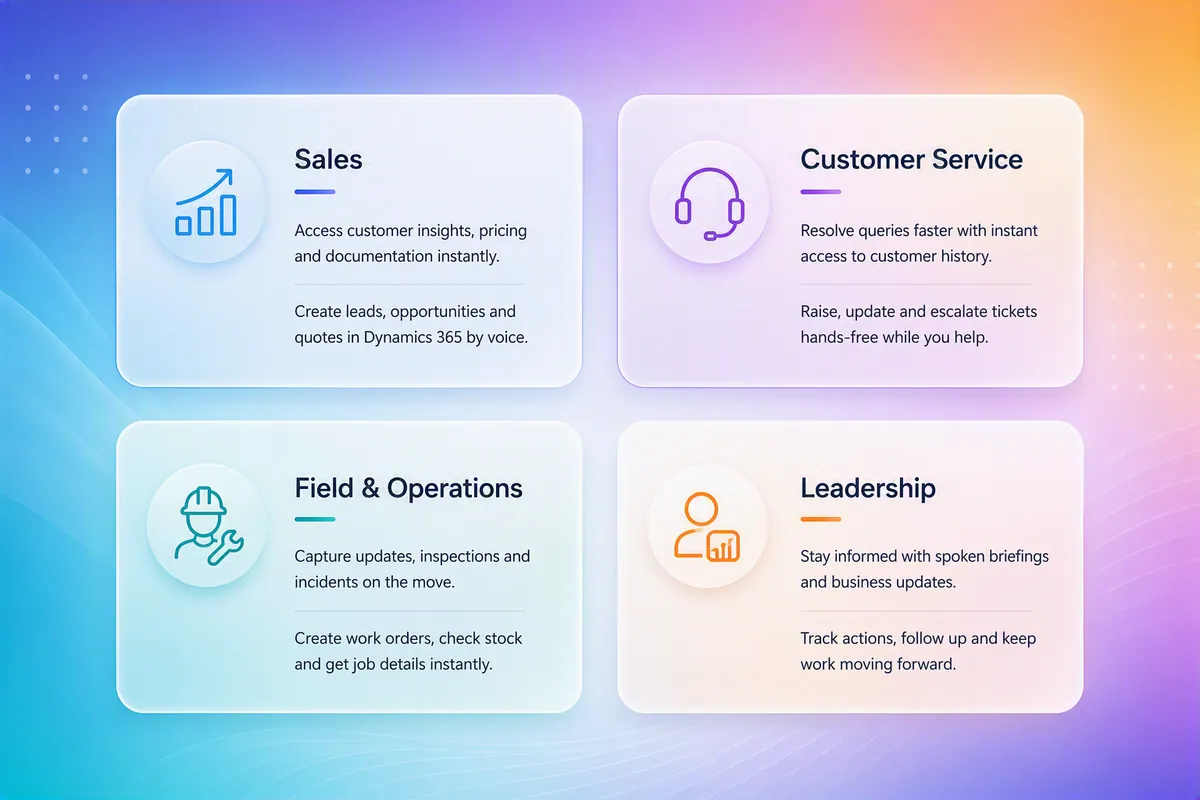
The wine pricing assistant is one scenario. The same pattern applies wherever people need information or need to act while away from a desk.
| Team | What they can do by voice |
|---|---|
| Sales | Summarise customer emails, retrieve live pricing and margins, generate quotes, create leads and opportunities in Dynamics 365, and update records automatically |
| Customer service | Pull up customer history, raise or escalate tickets, and capture case notes without switching screens |
| Field & operations | Log site updates, inspections, and incidents, create work orders, and check stock or job status hands-free |
| Leadership | Get spoken meeting briefings and track actions and updates on the go |
The business benefits
For decision-makers, the return shows up in a few consistent ways:
- Faster access to information: no hunting across multiple systems for a single answer.
- Less manual admin: repetitive data entry and form-filling handled automatically.
- Stronger customer engagement: reps walk in prepared and follow up instantly.
- More consistent processes: business rules applied the same way every time, reducing error.
- Higher productivity: people spend time selling and serving, not searching and typing.
How Synapx builds voice agents
We approach voice agents as a business capability, not a technology experiment. Our delivery follows four steps:
- Discover: identify the processes where hands-free access and automation deliver the most value.
- Connect: integrate securely with your existing Microsoft 365, CRM, and data systems.
- Secure: apply Microsoft identity, governance, and data-protection controls from day one.
- Deploy: deliver through the channels your teams already use and support the agent as it scales.
Because we build on the Microsoft platform, your voice agents inherit enterprise-grade security and governance rather than bolting it on afterwards.
Final thoughts
Voice is becoming the most natural interface for the parts of your workforce that don’t sit at a desk. The organisations that move first will give their sales, service, and field teams a genuine edge: faster answers, less admin, and more time on the work that matters.
If you’re exploring where a voice agent could remove friction in your business, Synapx can help you identify the highest-value place to start and build something ready for the real world.