Microsoft licensing costs have become a growing concern for organisations in 2026.
With the removal of volume-based discounts and the addition of Copilot pricing, many businesses are now paying significantly more for Microsoft 365, often without full visibility into what they are actually using.
In most cases, the issue is not overspending on purpose. It is a lack of clarity.
This guide explores how organisations can reduce Microsoft licensing costs, eliminate waste, and unlock more value from the licences they already own.
How to Reduce Microsoft Licensing Costs?
To reduce Microsoft licensing costs effectively:
- Audit licence usage: Remove inactive accounts and right-size E3/E5 allocations
- Identify duplicate tools: Replace external subscriptions with included Microsoft capabilities
- Optimise Copilot adoption: Buy licences only when foundations are ready
- Unlock unused tools: Leverage Power BI, Fabric, and Power Automate already in your estate
The biggest savings come from visibility, not cutting capability.
Why Microsoft Licensing Costs Increased in 2026?
In late 2025, Microsoft removed volume-based Enterprise Agreement discounts.
Previously, larger organisations benefited from lower per-user pricing. That model has now been standardised.
As a result:
- Renewal costs have increased across most organisations
- Pricing is consistent regardless of company size
- Copilot licences have introduced an additional cost layer
This shift has made inefficiencies far more visible and far more expensive.
Signs an Organisation Is Overpaying for Microsoft Licences
Many organisations are unknowingly overpaying.
Common indicators include:
- High-cost licences (such as E5) assigned to users with basic needs
- Licences still active for former employees or inactive accounts
- Teams purchasing external tools that replicate Microsoft capabilities
- Paying for add-ons already included in existing licence tiers
- Underutilisation of tools like Power BI, Power Automate, or Microsoft Fabric
Many organisations discover that the capabilities they are paying for but not using are directly connected to reporting and analytics.
In fact, businesses often invest in dashboards or external tools without realising they already have access to powerful analytics within Microsoft. If you’re exploring how to make better use of your existing reporting capabilities, “Many organisations already have access to reporting tools like Microsoft Power BI but are not using them fully.”
Real Example: £60,000 Saved Through Licence Optimisation
A mid-sized insurance organisation approached Synapx with a familiar challenge: Microsoft costs were increasing, but there was no clear understanding of where the inefficiencies were.
Following a structured audit, three key issues were identified:
Duplicate Capabilities
Several standalone tools were being paid for separately, despite already being included within existing licences.
Licence Tier Misalignment
Premium licences were assigned to users who required only basic functionality.
Inactive Accounts
Licences were still assigned to users who were no longer part of the organisation.
Outcome
- £60,000 saved annually
- No reduction in functionality
- Previously unused tools unlocked, including Power Platform and Fabric
This type of outcome is not uncommon. Many organisations simply have not reviewed their licence estate in detail.
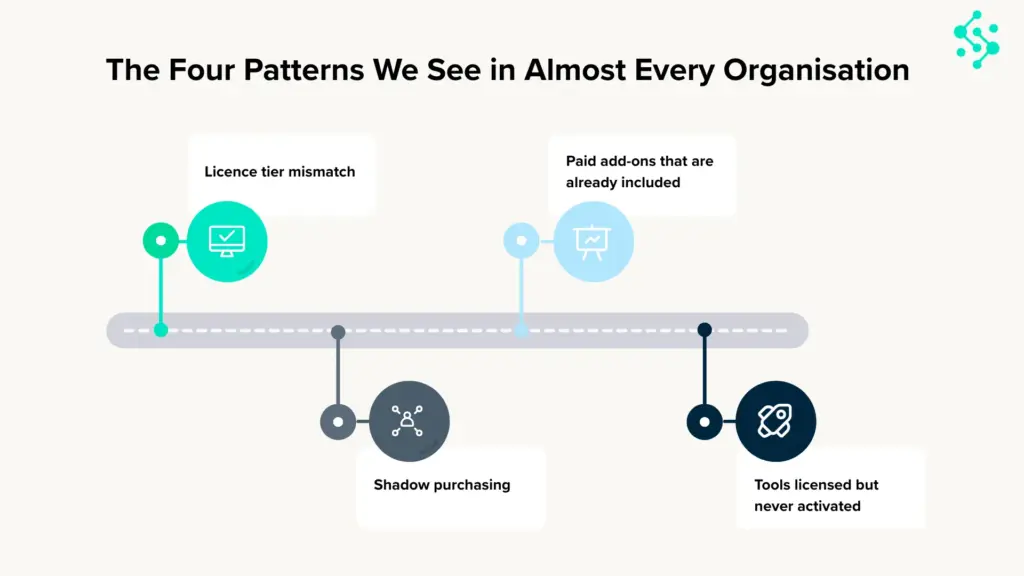
The 4 Most Common Microsoft Licensing Mistakes
Across industries, the same inefficiencies appear consistently.
1. Licence Tier Mismatch
High-cost licences are often assigned more broadly than necessary.
2. Shadow IT Purchases
Teams adopt external tools without awareness of existing internal capabilities.
3. Paying Twice for the Same Capability
Organisations continue renewing tools that are already bundled within Microsoft licences.
4. Underutilised Platforms
Technologies such as Microsoft Fabric and Power Platform remain unused despite being fully licensed.
Underutilised platforms are one of the biggest hidden opportunities.
Tools like Microsoft Fabric, designed to unify data, analytics, and real-time intelligence, are often already included in enterprise environments but remain unused. “Microsoft Fabric is often already available within enterprise environments but frequently goes unused.”
How to Run a Microsoft Licence Audit That Actually Finds Savings?
A licence audit should do more than count users. It should show what people are actually using, where money is being wasted, and what capabilities are already available but underused.
Step 1: Map your current licence estate
Start by building a full view of:
- all Microsoft 365 licences assigned
- user counts by licence type
- add-ons such as Copilot, Power BI Pro, Audio Conferencing
Use:
- Microsoft 365 Admin Centre billing reports
- Entra ID user lists
- Azure cost management (if relevant)
This gives a clear picture of your current spend.
Step 2: Compare licence allocation against actual usage
This is where most savings are found.
Review:
- inactive users still assigned licences
- E5 users only using email and Teams
- users not using premium security / compliance features
- Copilot licences with low adoption
Use:
- Microsoft 365 usage analytics
- adoption reports
- sign-in logs in Entra ID
This helps identify where licence tiers can be reduced without affecting productivity.
Step 3: Review duplicate tools and shadow IT spend
Many businesses pay twice for the same capability.
Look for:
- third-party workflow tools already covered by Microsoft Power Automate
- separate BI tools when Microsoft Power BI is already licensed
- manual reporting work that could be improved using Microsoft Fabric
This often reveals savings outside licensing itself.
Step 4: Identify underused Microsoft capabilities
A lot of businesses are paying for tools they have never properly adopted.
This often includes:
- automation workflows
- reporting tools
- collaboration features
- security functionality
A licence audit should not just cut costs. It should also show where more value can be unlocked from your existing Microsoft investment.
Should You Buy More Copilot Licences or Optimise First?
Before buying more Copilot licences, most organisations should first check whether their Microsoft environment is ready.
Copilot delivers the most value when:
- files are well organised in SharePoint
- Teams usage is consistent
- permissions are managed properly
- core Microsoft 365 adoption is already strong
If those foundations are not in place, buying more Copilot licences can increase cost without improving productivity.
For most organisations, optimising the Microsoft estate first leads to better results and lower long-term spend.
This guidance focuses on Copilot licensing decisions, when it makes sense to purchase additional licences and how to avoid increasing costs before adoption foundations are in place.
For organisations exploring custom builds with Copilot Studio, including agent design, governance, and implementation strategy, we cover that in detail in our dedicated Copilot Studio guide.
A Common Misconception About Microsoft Licensing
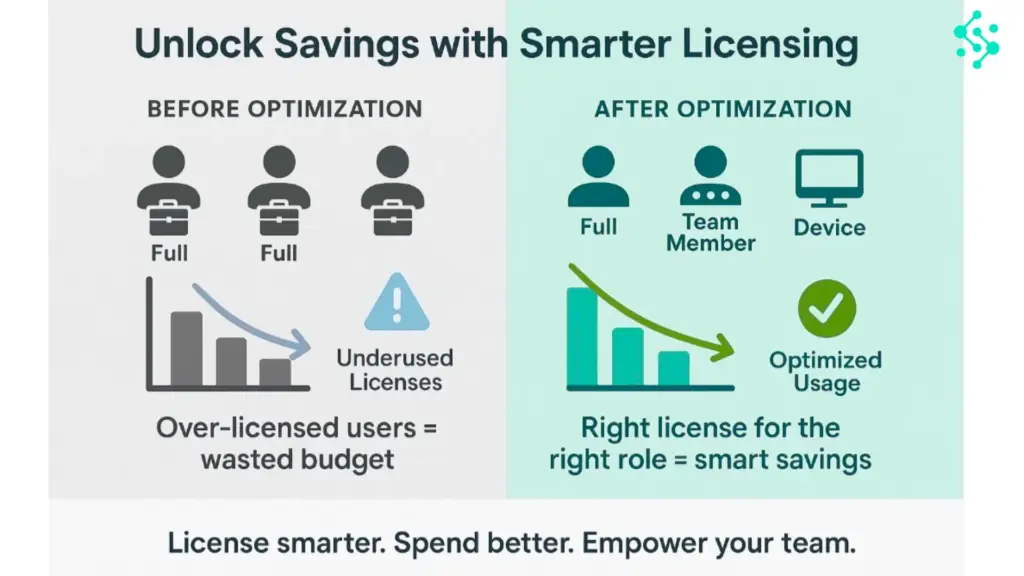
Many organisations assume that unlocking new capabilities requires additional licences.
In reality, a significant portion of functionality is often already available within existing agreements.
This is particularly true for:
- Automation (Power Automate)
- Analytics (Power BI)
- Data platforms (Microsoft Fabric)
The challenge is not access; it is awareness and implementation.
The Bottom Line
Microsoft licensing is no longer just an operational concern.
In 2026, it is a strategic lever that directly affects cost efficiency and scalability.
Organisations that perform well in this area tend to ask four key questions:
- What are we paying for?
- What are we actually using?
- Where are we overspending?
- What capabilities are we not leveraging?
In most cases, the issue is not cost; it is visibility.
Still unsure where your Microsoft spend is going?
Most organisations are paying for tools they don’t use and missing value in the ones they already have.
Get a clear breakdown of your licence usage, costs, and optimisation opportunities with a structured audit. Contact us today!