Outlook Document Automation for Insurance Teams
Eliminate manual email document handling. Improve traceability. Work faster inside Outlook.
Xtract is an Outlook plugin tool/extension for insurance companies that automates email document processing and converts emails and attachments into structured, auditable PDFs — without changing how teams work.
Start Free 1-Month Trial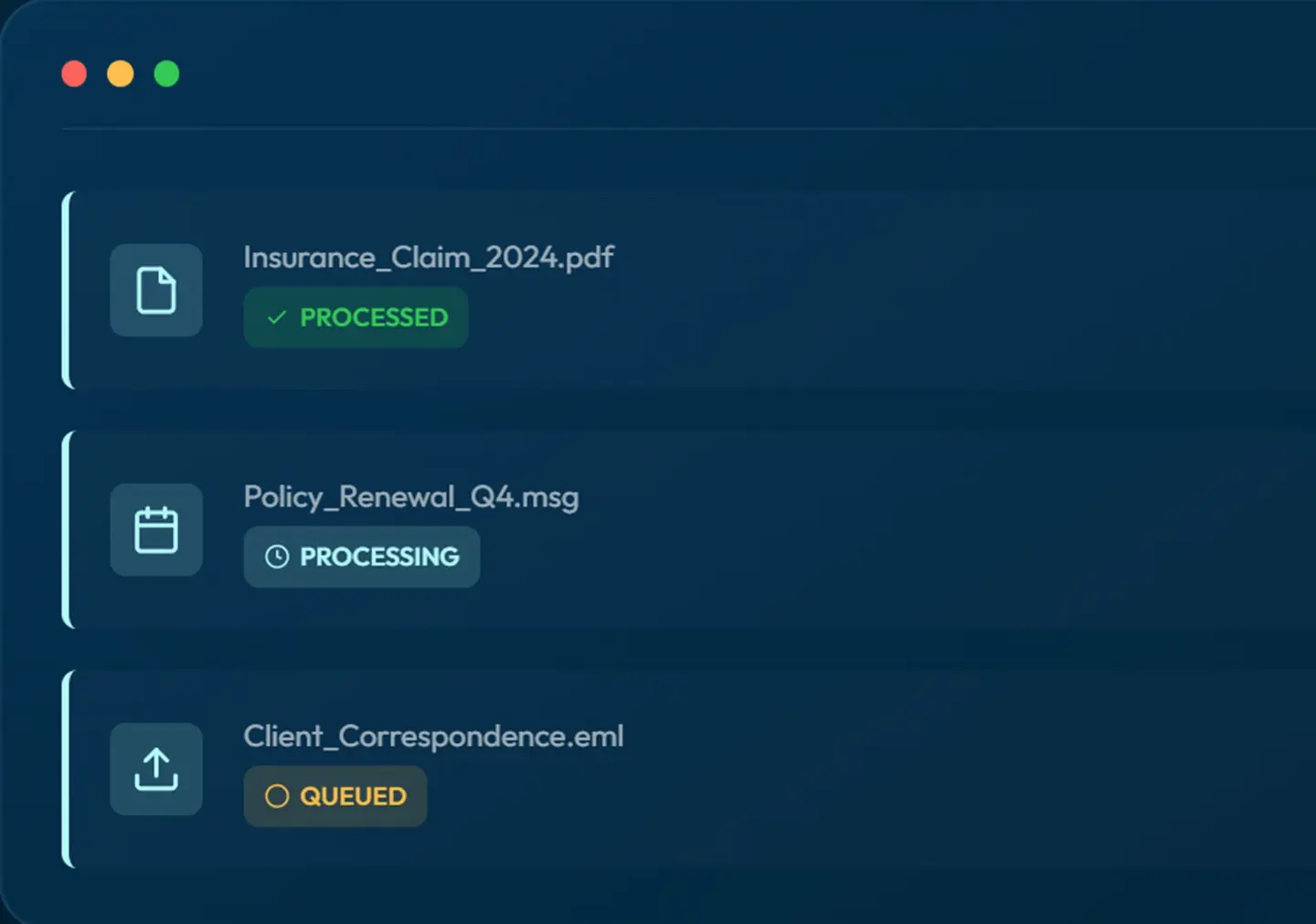
Manual email document processing is slowing down insurance operations
Insurance teams spend a disproportionate amount of time manually reading emails, downloading attachments, and extracting the same information from similar documents across projects and clients.
Time-Intensive Manual Reading
Teams spend 15-30 minutes per email manually reading and extracting the same data fields across similar document types, limiting capacity for higher-value work.
Inefficient Email Handling
Managing high volumes of email attachments manually creates operational bottlenecks and reduces team efficiency across projects and clients.
Missing Invoices & Lost Trails
Email threads get buried, attachments go missing, and audit trails become fragmented—creating compliance risks and operational headaches.
Document Control & Compliance Built for Outlook
Native Outlook integration with enterprise-grade document processing that works seamlessly with your existing workflows.
Email-to-PDF Conversion
Automatically convert incoming emails and attachments to structured, searchable PDFs with complete formatting preservation.
Duplicate Detection
Built-in duplicate detection shows which PDFs have already been processed, eliminating redundant work and ensuring data integrity.
Real-Time Processing Status
Monitor document status in real-time via web dashboard. Track queued, processing, processed, and failed documents at a glance.
Password-Protected Files
Securely handle password-protected documents without manual intervention, maintaining security while automating workflows.
Complete Audit Trails
Maintain comprehensive audit trails for compliance and review. Every document action is tracked and traceable.
Shared Mailbox Support
Deploy across multiple mailboxes and shared team inboxes with delegated access for seamless collaboration.
Customer-Side Processing
All document processing happens in your environment. We never store customer data ensuring complete data sovereignty.
Native Outlook UX
Purpose-built Outlook plugin that feels natural in your workflow. No context switching, no separate platforms to learn.
How It Works
From Email to Structured PDF — in Minutes
Simple, automated workflow that integrates directly into Outlook.
- Select an Email or Thread
- Email Conversion
- Automated Checks
- Status Tracking
- Record Creation
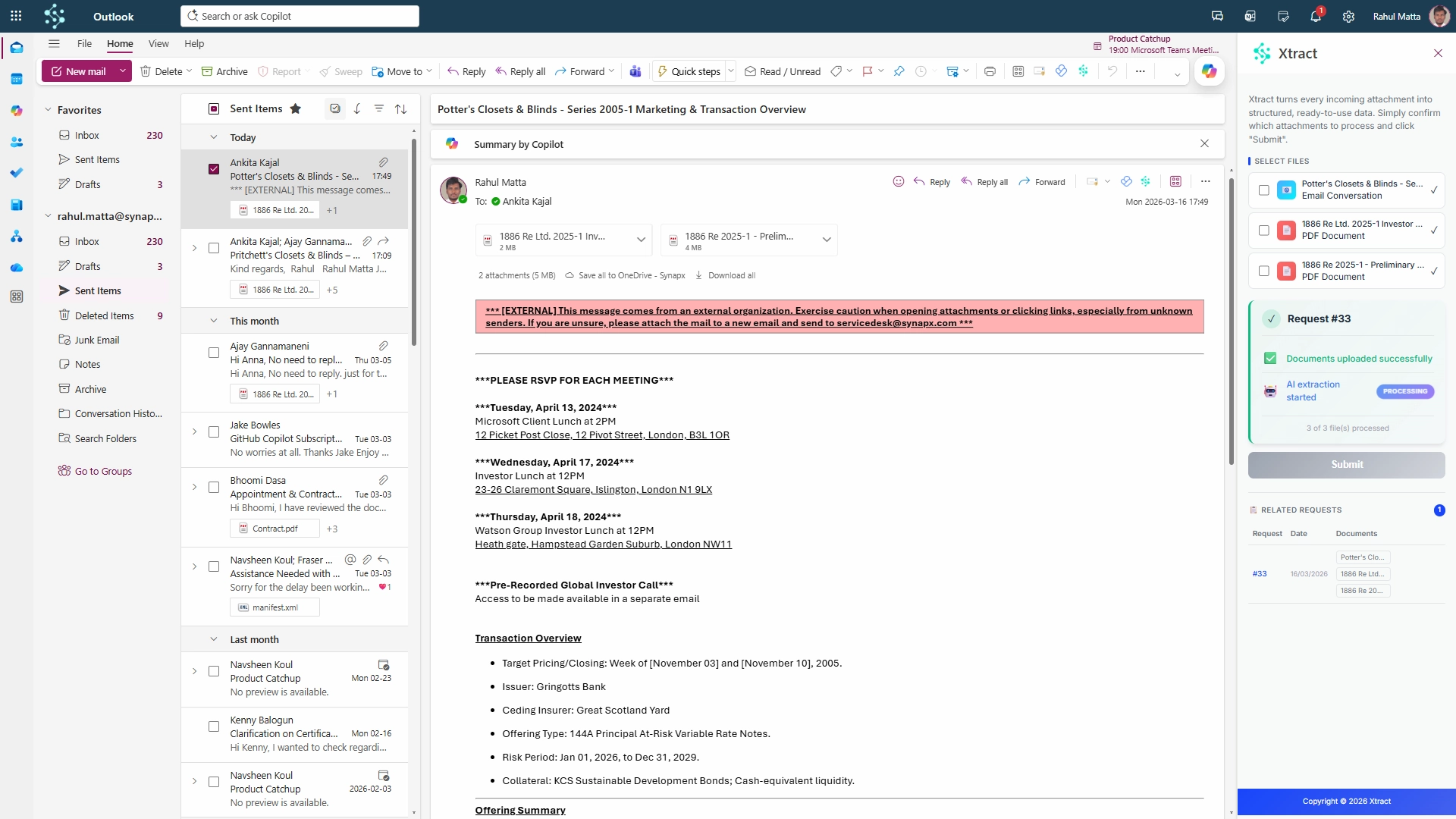
Select an email or thread in Outlook
Select an Email or Thread in Outlook
Start the process directly from the inbox your team already works in every day. Xtract removes the need to manually download attachments, sort through long email chains, or piece together conversations by hand. Whether it’s a single message or a complex thread with multiple responses, every part of the communication is captured in one place so nothing gets missed.
Convert emails into a structured pdf
Convert Emails into a Structured pdf
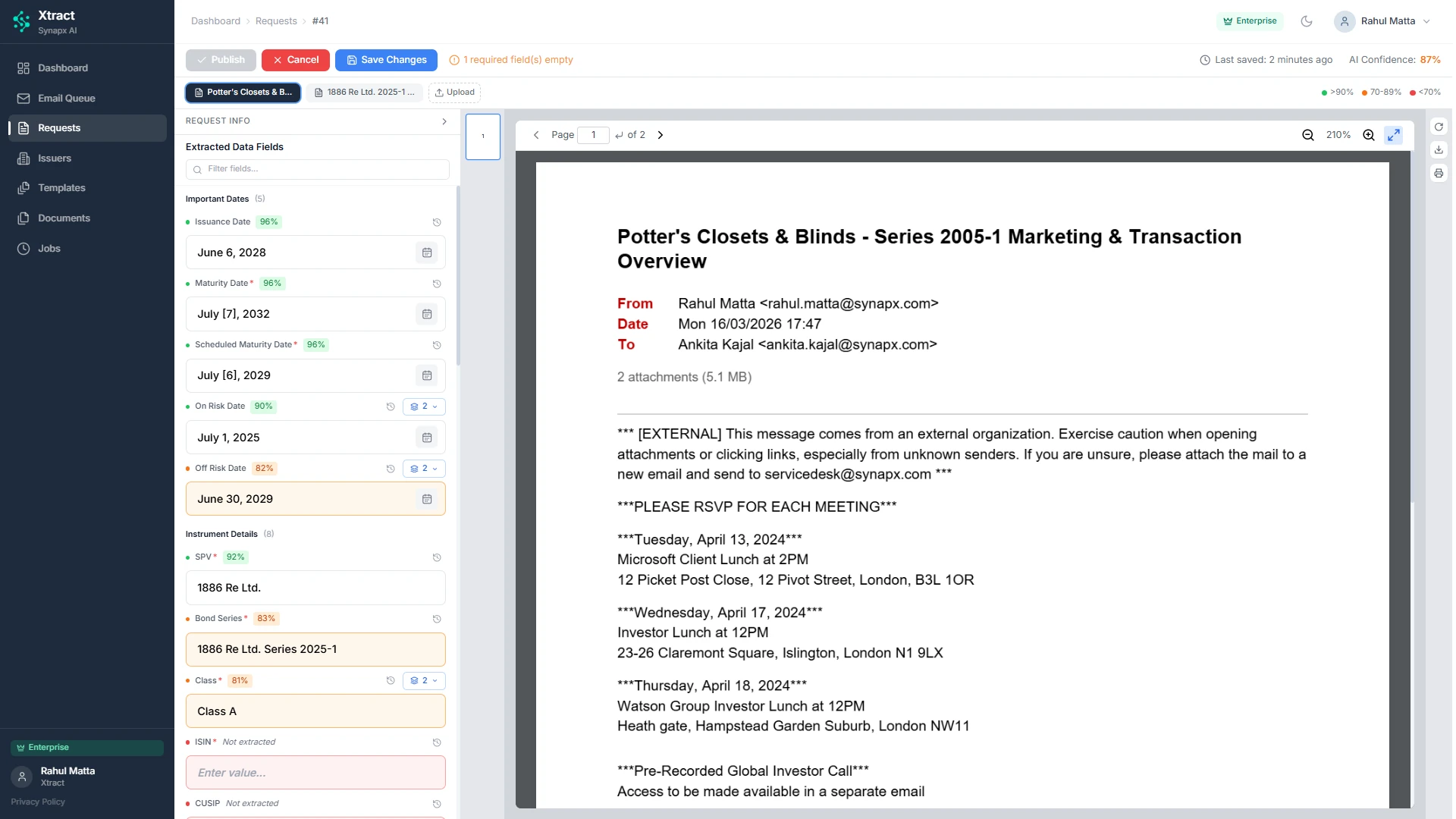
Xtract automatically transforms email conversations and attachments into a clean, structured document pack that is ready for review, submission, or onward processing. Sender details, recipients, timestamps, message content, and supporting files are organised in the right sequence, helping teams avoid manual admin and reducing the risk of incomplete submissions.
Automatic document checks
Automatic Document Checks
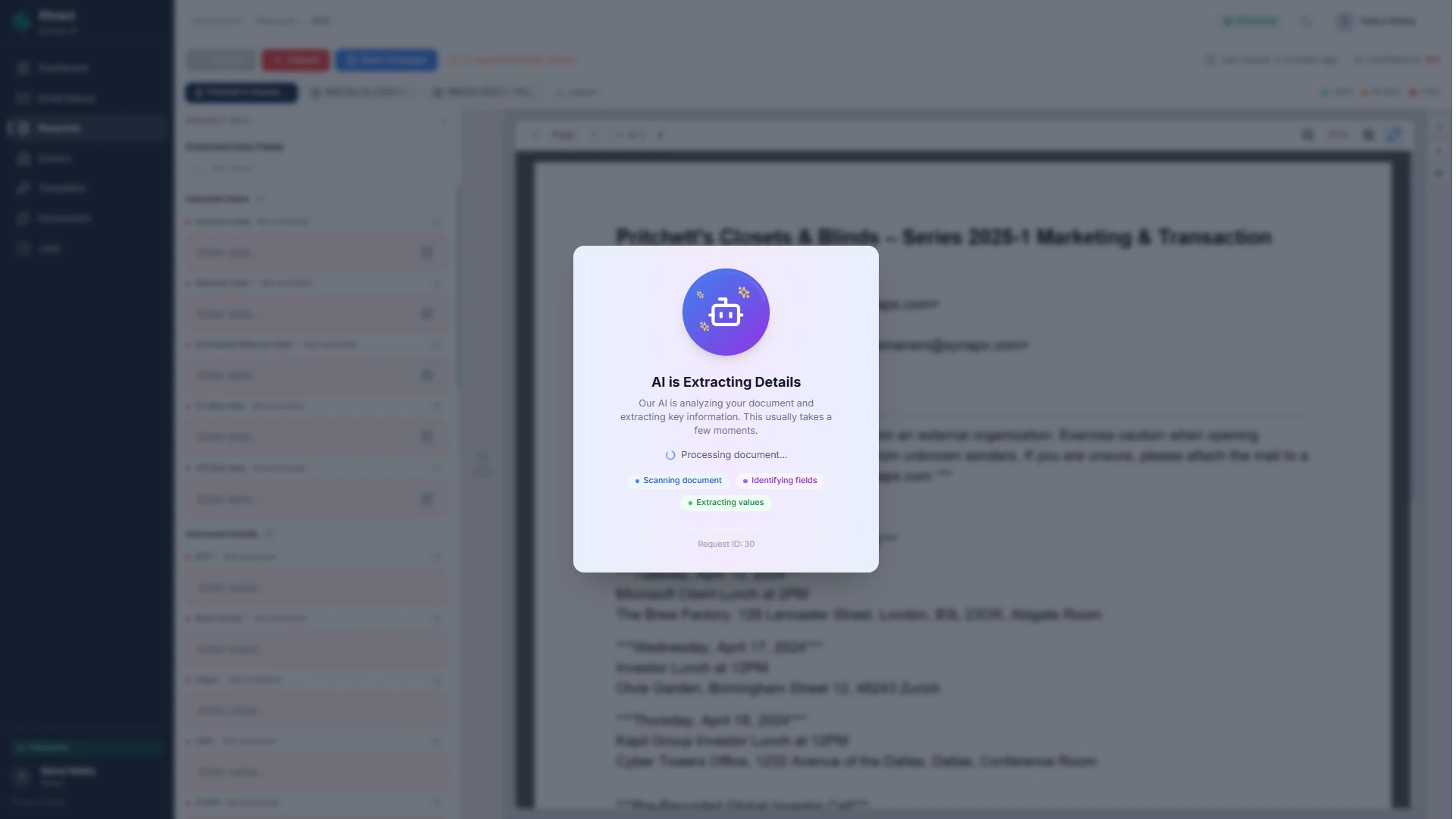
Before anything moves forward, Xtract performs intelligent checks to catch the issues that usually cause delays. Duplicate files are identified before they are reprocessed, unsupported formats are flagged instantly, and unnecessary attachments can be filtered out automatically. This helps teams avoid rework, reduce errors, and keep every submission accurate from the start.
Track processing status in real time
Track Processing Status in Real Time
Once submitted, every request can be tracked through clear processing stages so teams always know what is happening. From queued and in progress to completed or failed, Xtract gives full visibility over every document pack without the need for follow-ups or manual chasing. This keeps teams informed, speeds up resolution, and creates a more reliable workflow.
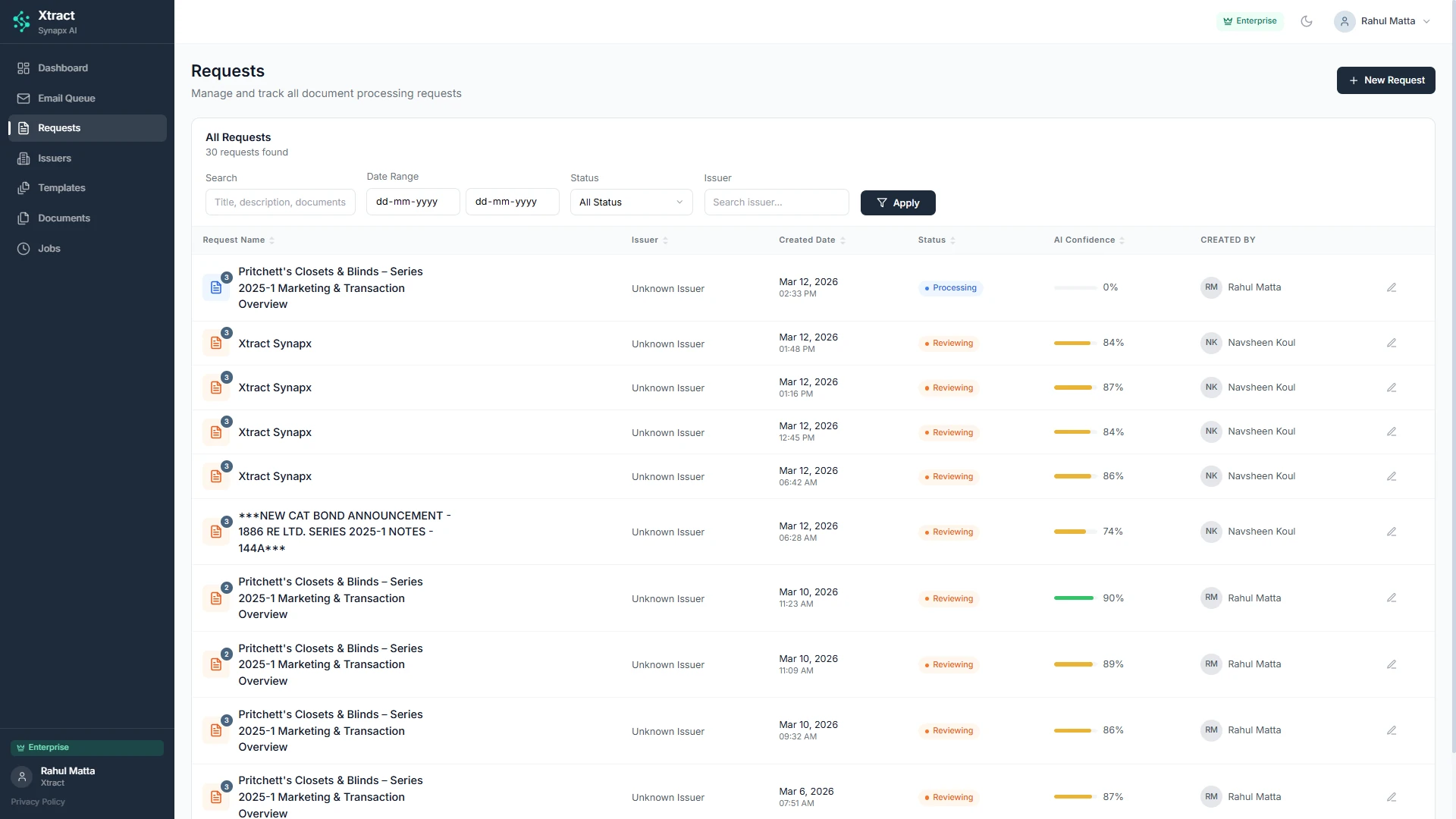
Create a Permanent, Auditable Record
Create a Permanent, Auditable Record
Every submission is automatically stored as a secure, auditable record, giving teams a clear history of what was received, when it was processed, and how it was handled. Xtract assigns each document pack a unique reference ID and preserves the original email thread, attachments, timestamps, and processing activity in one place. This makes it easier to meet compliance requirements, respond to queries faster, and access a complete record whenever it’s needed.
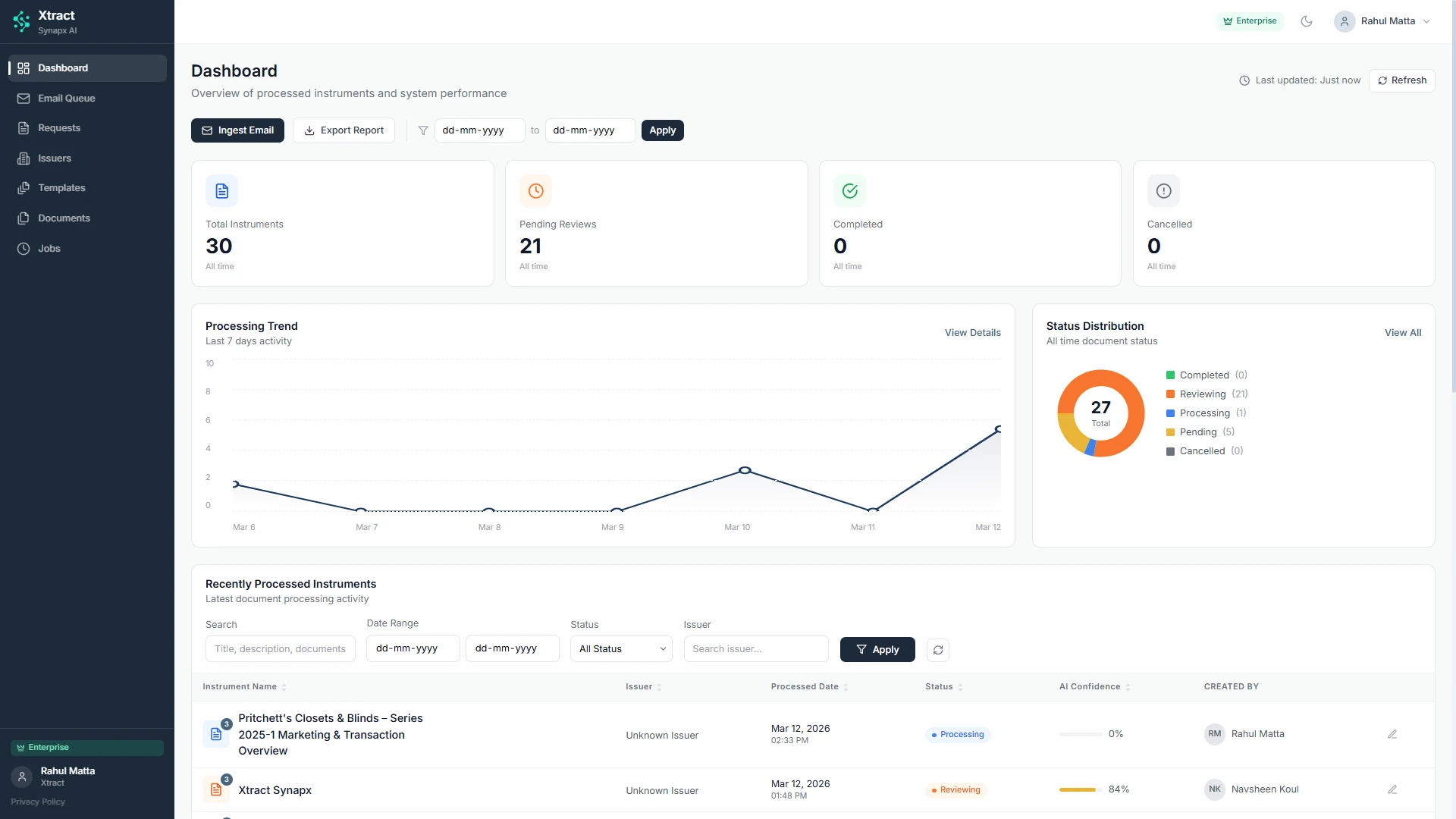
Start automating insurance document workflows in Outlook
Enable the Xtract Outlook Plugin for your team and eliminate manual document handling.
- 1 Month Free Trial
- No Commitments or Contracts
- No Credit Card Required
- Setup In One Day
Recent Blog Posts
Stay Informed: Discover the Latest on Microsoft Power Platform and More in Our Recent Blog Posts
The Hidden Cost of Manual Data Extraction
Automated data extraction helps organisations reduce manual work, improve reporting speed, and connect data across fragmented systems. This blog explores the challenges, use cases,...

Digital Transformation in Banking
Digital transformation in banking is no longer about technology, it is about data, intelligence, and operating models. This guide explores why transformation matters in...

From Pilots to Performance: Delivering Measurable AI Impact in 2026 & Beyond
AI pilots are easy to launch but much harder to scale. Here is why so many stall, what high-performing organisations do differently, and how...