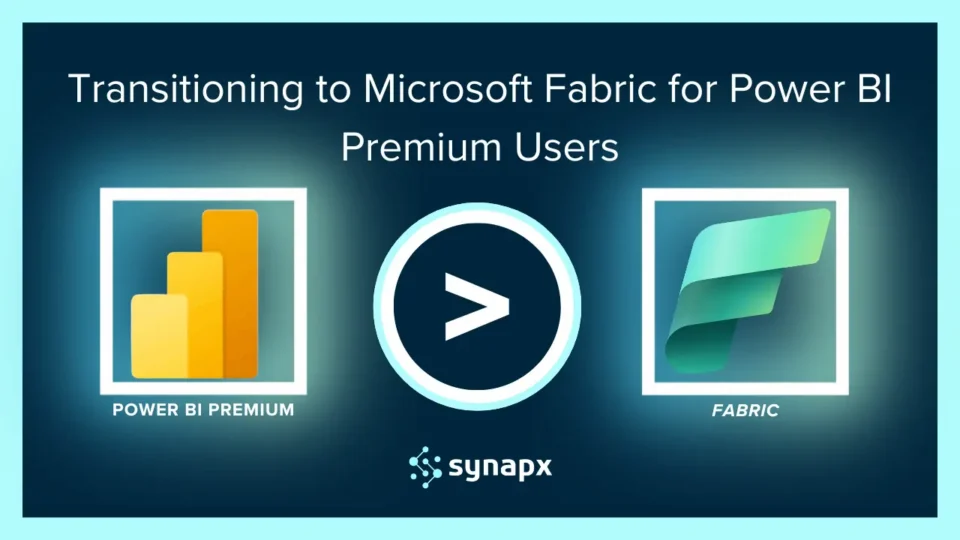
In January 2025, Microsoft officially retired Power BI Premium SKUs. If your organisation was running on Power BI Premium P SKUs, your analytics environment has now moved or needs to move to Microsoft Fabric.
This guide explains exactly what happened, who is affected, what changes in practice, and how to make the most of the Fabric environment you now have or are about to have.
What Actually Changed
Power BI Premium was Microsoft’s capacity-based BI licence – a way to deploy Power BI at enterprise scale without per-user Pro licences for every report consumer. It worked well, but it was a BI-only solution.
Microsoft Fabric replaces Power BI Premium with something significantly broader. Fabric unifies Power BI, Synapse Analytics, and Data Factory into a single SaaS platform, adding six workloads that Premium never had: Data Engineering, Data Science, Data Warehouse, Real-Time Intelligence, Data Activator, and Databases.
In practical terms: if you were paying for Power BI Premium capacity, you now have access to an enterprise data platform — not just a BI tool. The question is whether your organisation is structured to take advantage of it.
Who’s Affected by the Change?
| SKU Type | Status | Action Required |
| Power BI Premium P1–P5 | Retired Jan 2025 | Migrate to equivalent Fabric F SKU |
| Power BI Premium Per User (PPU) | Still available | Consider moving to Fabric capacity at scale |
| Power BI Embedded EM/A SKUs | Retired | Upgrade to F64+ for read-only user rights |
| Enterprise Agreement customers | Can renew until EA end | Plan Fabric migration ahead of EA renewal |
| Sovereign cloud (GCC, GCC High, DoD) | Not affected yet | Fabric rollout timeline TBC by Microsoft |
What You Gain by Moving to Fabric
Everything You Had, Plus Six New Workloads
Every capability you had under Power BI Premium is preserved in Microsoft Fabric. Reports work. Datasets work. Paginated reports work. Scheduled refreshes work. Nothing breaks at migration.
What you gain is access to the full Fabric platform under the same licence:
- Data Engineering – Spark notebooks, lakehouses, Delta Lake storage
- Data Science – ML model development and deployment, integrated with Azure ML
- Data Warehouse – scalable SQL analytics engine on the Lakehouse model
- Real-Time Intelligence – KQL databases and event stream processing
- Data Activator – no-code event-driven automation triggered by data conditions
- OneLake – a single, unified data lake for your entire organisation
Copilot Across Every Workload
Copilot is now available across all Fabric workloads. Data engineers can write Spark code using natural language. Analysts can generate DAX formulas and report layouts conversationally. Data scientists can use AI to accelerate model development.
Flexible Billing
Fabric capacity is MACC-eligible, and spending can be applied to your Microsoft Azure Consumption Commitment. The pay-as-you-go option allows pausing capacity when not in use, which was not possible with Power BI Premium.
The F64 Threshold: A Key Licensing Decision
For Fabric SKUs below F64, users accessing published Power BI content still need a Power BI Pro licence. At F64 and above, read-only access is included in the capacity licence.
This makes F64 an important commercial threshold. If your organisation has more than roughly 30–40 report consumers (who would individually cost more in Pro licences than the capacity increment to F64), upgrading to F64 may be cost-neutral or cheaper overall. Run the numbers for your headcount before assuming F32 is the right ceiling.
How to Optimise Your Fabric Environment After Migration
Review workspace assignments, verify all workspaces are mapped to the correct Fabric capacity SKU
- Audit scheduled refreshes, jobs from Premium may need reconfiguring in Fabric Pipelines
- Deploy the Fabric Capacity Metrics App, Microsoft’s free tool for monitoring CU utilisation, cost, and performance in real time
- Identify Fabric workload opportunities, assess which processes could benefit from Data Engineering, Real-Time Intelligence, or Data Science
- Enable Copilot across workloads, which accelerates self-service adoption for Power BI users in particular
Review governance settings, OneLake BCDR, workspace retention, and data classification policies should align with your compliance requirements
What If You Have Not Migrated Yet?
If your organisation is still running on legacy Power BI Premium SKUs under an active Enterprise Agreement, start planning now rather than waiting for the contract end date to force the issue.
A proactive migration gives you time to assess which workspaces and datasets are actively used (and which can be retired), test Fabric capacity performance against your workloads before going live and avoid a rushed cutover under time pressure.
Ready to Make the Switch?
At Synapx, we help organisations optimise their Microsoft Fabric environments, from governance and cost management to AI integration and data automation. Whether you’ve already transitioned from Power BI Premium or are preparing to, our team can ensure your Fabric setup is secure, scalable, and future-ready.
Contact us today to book a consultation and unlock the full potential of Microsoft Fabric for your organisation.