Power BI has grown into one of the most trusted reporting platforms in modern organisations. It streamlined how teams consume data, removed reliance on scattered spreadsheets, and created a unified source of truth for decision-making. But as organisations matured, one limitation became increasingly clear: dashboards could describe the situation, but they couldn’t change it.
Teams didn’t just want visibility; they wanted the ability to act directly from Power BI, like correcting a value, updating a status, submitting a note, or triggering a change. These are small actions, but they have accumulated enormous operational value.
Write-back became the missing capability, and until recently, enabling it meant custom scripts, external apps, API configurations, or a Power App embedded into the report. With the arrival of Translytical Task Flows, write-back is now built into the Power BI experience itself, sitting alongside the long-standing Power Apps integration. The challenge for most organisations is deciding which option fits their scenario.
This blog breaks down both approaches clearly, so readers, even non-technical teams, know exactly how to think about Power BI write-back.
What Are Translytical Task Flows in Power BI?
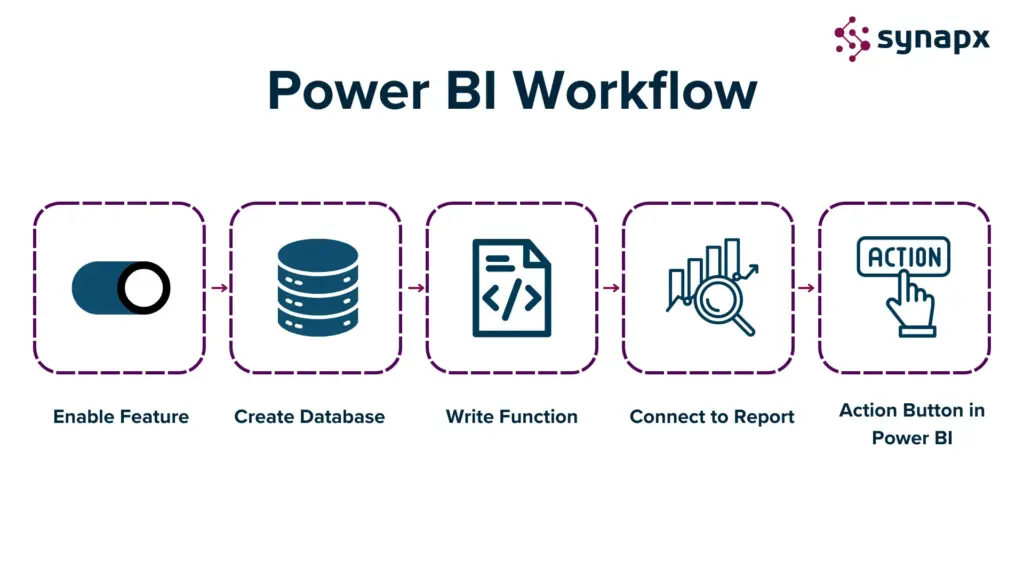
Translytical Task Flows (TTFs) are Microsoft’s native write-back capability for Power BI. They introduce simple, fast, intuitive interactions directly inside the report; no additional app is required. When a user updates a value, submits a comment, or confirms a status, the Task Flow processes that input and writes it back to the underlying data store. The experience feels like a natural extension of Power BI: lightweight, contextual, and designed for quick operational actions. TTFs exist for one key purpose: To let users make simple updates where they spot the need, inside the dashboard itself.
Teams adopt Task Flows for actions such as:
- Correcting small data points
- Logging status updates
- Adding annotations
- Triggering lightweight actions or workflows
- Updating a limited set of fields
These interactions are meaningful in day-to-day processes, but they don’t require a full-blown application. Translytical Task Flows are intentionally designed to be uncomplicated. No custom UI frameworks, no multi-screen navigation, no deep logic chains. Just quick, structured input, directly where the decision happens.
Why Power Apps Still Matter for Advanced Write-Back in Power BI?
Power Apps is the right fit for processes that require more than a single field update. It excels in scenarios involving multi-step logic, approvals, attachments, complex forms, conditional business rules, guided workflows, and mobile-first usage. Additionally, Power Apps integrates seamlessly with Power BI, functioning as a full application alongside your data. This integration is particularly advantageous for processes that need context, validation, or collaboration. While Task Flows can simplify tasks and allow for minor corrections, Power Apps is designed to handle more complex processes systematically. Although implementing this capability requires proper governance and licensing, it provides a depth of functionality that lightweight write-back solutions simply cannot match.
Power BI Write-Back: How Organisations Decide Between the Two
Understanding the difference between Power Apps and Translytical Task Flows is essential for teams as the decision often hinges on how people work rather than just on technology. Organisations experimenting with write-back functionality typically begin with small issues, such as outdated statuses or missing comments. In the past, resolving these required opening another system and waiting for an update. However, when teams discover that a Task Flow can capture corrections directly in Power BI, they experience a significant shift.
They realise how quick and intuitive this process is, leading them to explore further corrections within the report. This phenomenon has been observed in various teams, from project management to field service, as they see the potential to replace cumbersome processes like emails and spreadsheets.
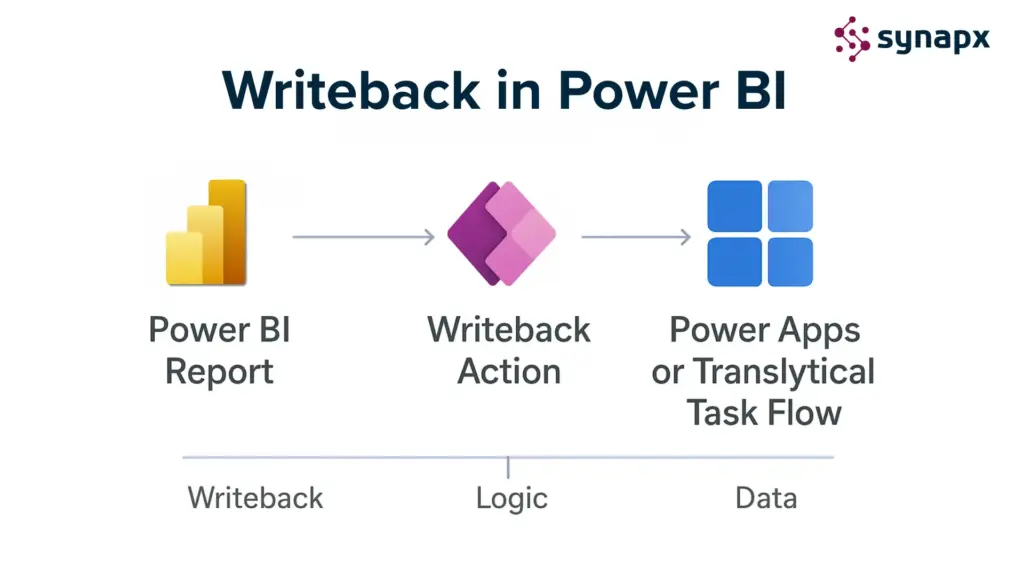
Translytical Task Flows thrive in environments with simple actions and short feedback loops, but as departments embrace this functionality, their needs evolve. Requests for approval of steps, validation rules, and attachments may arise, turning a straightforward update into a mini application that Task Flows can’t fully support.
This is where Power Apps comes in, not as a replacement, but as an extension of the journey. We’ve seen teams start with a Task Flow to meet immediate needs but transition to Power Apps for its structured capabilities, including guided forms and role-based access.
For instance, one client used a Task Flow to allow shift supervisors to update operational statuses easily. However, as their needs grew to include notes, attachments, and approval chains, they incorporated a Power App within the same report. Another team started with a Task Flow for end-of-day updates from technicians, but eventually required image submissions and compliance workflows, leading them to Power Apps.
These examples highlight that Task Flows and Power Apps are not competitors but complementary tools. Teams choose Task Flows for speed and opt for Power Apps for structure, often using both as their processes mature.
| Scenario | Recommended Solution | Why |
| Quick value or status update | Translytical Task Flows | Native, simple, low-cost |
| Trigger workflow or API call | Translytical Task Flows | Lightweight and integrated |
| Multi-step approval or logic | Power Apps | Handles complex business logic |
| Mobile or multi-screen app | Power Apps | Optimised for mobile and design flexibility |
| Simple architecture, cost focus | Translytical Task Flows | License-free within Fabric |
| Enterprise governance | Power Apps | Rich controls and compliance |
Enhancing Project Risk Management with Power BI Write-Back
During a recent project management meeting, we reviewed a Power BI dashboard displaying project risks.
In one scenario, we noticed a few outdated risk levels. A manager quickly selected a record, updated the risk level, and refreshed the dashboard instantly. This demonstrated the efficiency of Task Flows, allowing updates without additional apps or screen switches.
In another example, updating a risk level required justification and leadership approval. We utilised a Power App embedded in the report, which guided us through capturing details, routing the update, and maintaining an audit trail.
Both approaches coexisted seamlessly within the same Power BI report, showcasing the flexibility of our project management tools.
The Evolution of Power BI: From Reporting to Action
Microsoft’s direction is clear: Power BI is steadily evolving from a tool for observing data to a hub where users take action on data. Translytical Task Flows are a major step in this evolution, offering the fastest path from insight to update. Power Apps remains the partner for deeper, structured processes. Together, they transform Power BI from a reporting surface into an operational workspace, where decisions don’t just happen visually but are executed in real time.
Write-back often begins with small wins, a status update here, a correction there. But over time, those wins illuminate broader opportunities. Teams start thinking differently about their dashboards. Leaders begin seeing reports not as destinations but as tools to drive action across the business. At this point, the question becomes how to scale write-back responsibly, with clear architecture, governance, and long-term structure. Task Flows and Power Apps both have a place in this journey. The art lies in understanding which one to use for each moment and designing an ecosystem that feels intuitive and effortless for your teams.
Conclusion
Most organisations reach a point where Power BI becomes more than a reporting layer; it becomes the place where work actually happens. The moment you start enabling write-back, dashboards stop being passive tools and start becoming dynamic systems that help teams operate better.
Choosing the right approach isn’t about selecting the “best” technology. It’s about shaping an experience where updates, decisions, and actions feel natural, guided, and aligned with how your organisation already works. When the foundations are laid well, Power BI quietly becomes one of the most powerful operational tools in your business, not because it shouts for attention, but because everything simply flows. Explore our case studies showcasing how we have helped clients achieve their solutions.. Contact us today for a free consultation.