
This article provides a comprehensive review between Power Automate and Zapier, two leading players in the workflow automation space. By examining their features, capabilities, pricing, and use cases, we aim to help you make an informed decision on which tool is best suited for your organisation’s automation needs.
Whether you’re a small business owner looking to streamline operations or an enterprise IT professional seeking to implement large-scale automation, understanding the strengths and limitations of each platform is crucial. Let’s dive into these automation tools and uncover which solution can best drive your productivity and innovation.
Power Automate: An Overview
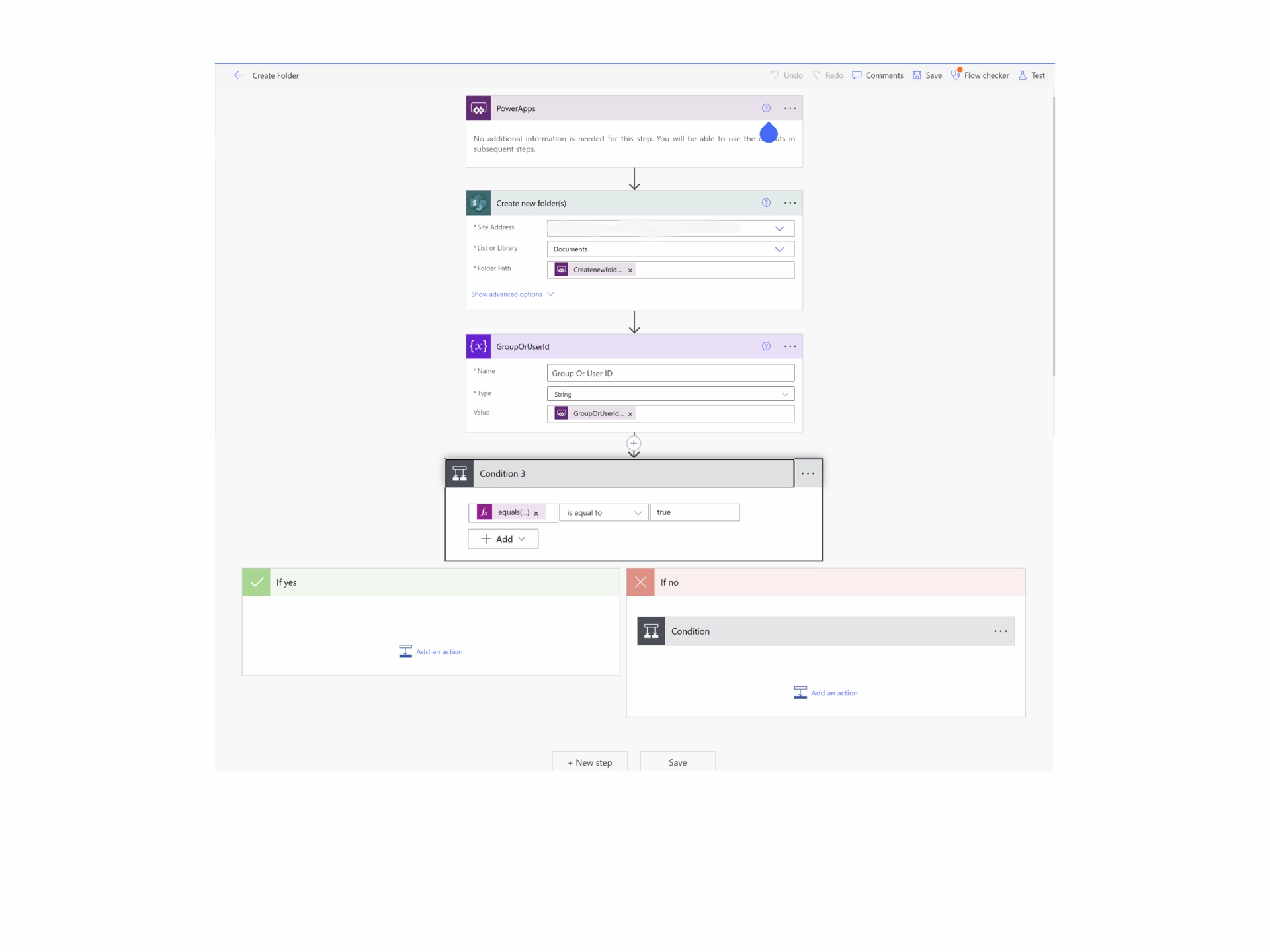
Power Automate has become even more intelligent and accessible, thanks to Copilot-Microsoft’s AI assistant that helps users create flows using natural language prompts. Whether you’re automating an approval process, syncing data between applications, or managing desktop tasks, Copilot suggests, explains, and builds automations tailored to your needs.
Key Features and Capabilities
- Copilot Assistance: Create and refine flows simply by describing what you want to automate in plain English.
- Integration with Microsoft Fabric: Power Automate now connects to OneLake, unifying access to organisational data for analytics and operations.
- 1,000+ Connectors: Expanded integration library covering Microsoft, third-party, and custom APIs.
- Enhanced AI Builder: Improved AI models for form processing, document automation, and predictive insights.
- Advanced Governance: Centralised management and analytics via the Power Platform Admin Center.
Integration with Microsoft Ecosystem
One of Power Automate’s strongest selling points is its seamless integration with other Microsoft products. Users can easily automate tasks involving Microsoft 365 applications (such as Outlook, Teams, and SharePoint), Dynamics 365, and Azure services. This tight integration allows for powerful, complex automations within the Microsoft ecosystem.
Types of Flows
Power Automate offers several types of flows to cater to different automation needs:
- Cloud Flows: These are the most common type, triggering actions based on events in cloud services or requests.
- Desktop Flows (RPA): This feature allows for automation of legacy applications and manual tasks on your desktop.
- Business Process Flows: These guide users through important business processes, ensuring consistency and compliance.
This versatility makes Power Automate suitable for a wide range of scenarios, from simple task automation to complex, multi-step business processes.
Zapier: An Overview
Zapier is a well-established player in the workflow automation market, known for its user-friendly interface and vast array of app integrations. It continues to lead in app integration variety and has recently launched Zapier AI, an intelligent flow builder that allows users to describe automation goals in natural language. Additionally, Zapier Central provides a unified dashboard for managing automations across teams and departments.
Key Features and Capabilities
- Intuitive, step-by-step interface for creating automations
- Extensive library of app integrations (3000+ apps)
- Multi-step Zaps for more complex workflows
- Built-in apps for additional functionality (like email parser and webhook)
- Filters and conditional logic for fine-tuned control over automations
Wide Range of App Integrations
Zapier’s strength lies in its ability to connect a vast number of web applications. From CRM systems and marketing tools to project management software and e-commerce platforms, Zapier likely has an integration for most of the web-based tools your business uses.
Zaps and Multi-step Zaps
In Zapier, automated workflows are called “Zaps.” A basic Zap consists of a trigger (an event in one app) and an action (a task performed in another app). Multi-step Zaps allow for more complex workflows, where a single trigger can set off a series of actions across multiple apps.
For example, a Zap could be set up to automatically add new Shopify customers to your Mailchimp email list, then create a task in Trello to follow up with them, and finally send a notification to your team in Slack. This flexibility allows businesses to create sophisticated automations tailored to their specific needs.
Comparison of Features
When choosing between Power Automate and Zapier, it’s crucial to understand how their features stack up against each other.
User Interface and Ease of Use
- Power Automate: Offers a clean, modern interface that integrates well with other Microsoft products. It can be slightly more complex for beginners, but it provides more advanced features for power users. Streamlined with Copilot-assisted automation.
- Zapier: Known for its user-friendly, intuitive interface. It’s generally easier for non-technical users to get started with Zapier. Intuitive drag-and-drop, now with Zapier AI Builder.
Available Integrations and Connectors
- Power Automate: Provides 1,000+ connectors, including Fabric, Dynamics, and Dataverse, with strong integration within the Microsoft ecosystem and a growing number of third-party connectors.
- Zapier: Boasts over 6,000+ web app integrations across all industries.
AI and Automation
- Power Automate: Built-in Copilot, AI Builder, and Fabric insights.
- Zapier: Zapier AI for prompt-based automation and suggestions.
RPA Capabilities
- Power Automate: Yes, it includes desktop automation and unattended bots.
- Zapier: No native RPA (web-based only).
Governance
- Power Automate: Enterprise-grade through Power Platform Admin Center.
- Zapier: Central management with Zapier Central.
Pricing and Plans
Understanding the cost structure of both platforms is essential for making an informed decision.
Power Automate Pricing Structure
- Included with Microsoft 365: Basic cloud flows for individual use.
- Premium per-user plan: ~£14.70 per user/month — includes unlimited cloud flows and access to premium connectors.
- Process plan (attended/unattended RPA): From £115 per bot/month.
- Hosted RPA (cloud-based desktop automation): ~£165 per bot/month.
- Copilot and AI Builder credits: Consumption-based within Microsoft Fabric capacity.
Zapier Pricing Tiers
- Free: 100 tasks/month.
- Starter: ~£25.99/month – includes multi-step Zaps.
- Professional: ~£47.00/month – AI automation builder access.
- Team: ~£97.50/month – advanced collaboration & data management.
- Enterprise: Custom pricing with SSO and data residency options.
Cost Comparison for Different Business Sizes
- For Small Businesses: Zapier’s lower-tier plans might be more cost-effective if you don’t need advanced features.
- For Medium to Large Enterprises: Power Automate’s per-user or per-flow plans could provide better value, especially if you’re already using Microsoft 365.
Use Cases and Scenarios
Both Power Automate and Zapier can handle a wide range of automation tasks, but they may excel in different scenarios.
Small Business Automation
- Zapier: Often shines in small business settings, where its wide range of app integrations can easily connect various tools used by small teams.
- Example: Automatically creating Trello cards from new Gmail emails and updating a Google Sheets spreadsheet.
Enterprise-level Workflow Management
- Power Automate: Typically stronger for large-scale, complex enterprise workflows, especially within organisations heavily invested in the Microsoft ecosystem.
- Example: Automating an employee onboarding process that involves updating Active Directory, creating accounts in multiple systems, and triggering approval workflows.
Industry-specific Examples
- E-commerce: Zapier could automate order processing across platforms like Shopify, PayPal, and accounting software.
- Healthcare: Power Automate might be used to securely handle patient data flows between different departments and systems, leveraging its strong compliance features.
AI-Assisted Workflow Creation
- Power Automate users can now type or speak automation requests like “Create a flow that notifies me when a high-priority Teams message mentions our project code.”
- Zapier AI allows users to say, “Whenever a new client signs up in HubSpot, send them a personalised Slack message and generate an onboarding task in Asana.”
Data-Driven Automations
- With Microsoft Fabric integration, Power Automate can trigger workflows based on data analytics or trends, e.g., automatically alerting sales teams when revenue drops below thresholds detected in Power BI.
Integration with Other Tools
Power Automate within the Power Platform
- Seamlessly integrates with other Power Platform tools like Power Apps and Power BI.
- Can easily incorporate data from Dataverse (formerly Common Data Service).
- Works well with Dynamics 365 and the entire Microsoft 365 suite.
Zapier’s App Ecosystem
- Offers a vast marketplace of app integrations.
- Allows for easy connection between disparate web services.
- Can be particularly useful for businesses using a variety of best-of-breed SaaS solutions.
Security and Compliance
Data Handling and Privacy
- Power Automate: Benefits from Microsoft’s robust security infrastructure. Offers granular control over data access and shares the same security model as Microsoft 365.
- Zapier: Provides strong encryption for data in transit and at rest. Offers options for handling sensitive data, including a feature to delete Zap run data.
Compliance Certifications
- Power Automate: Complies with a wide range of international standards including GDPR, HIPAA, ISO 27001, SOC 1 and SOC 2.
- Zapier: SOC 2 Type II compliant and GDPR ready. However, it may not meet all requirements for highly regulated industries without additional measures.
Scalability and Performance
Handling Complex Workflows
- Power Automate: Designed to handle enterprise-grade, complex workflows. Offers features like business process flows and RPA for comprehensive process automation.
- Zapier: While capable of multi-step Zaps, it may become unwieldy for very complex, branching workflows.
Execution Limits and Quotas
- Power Automate: Limits vary based on license type. Enterprise plans offer high limits suitable for large-scale operations.
- Zapier: Task limits are clearly defined in each pricing tier, with higher tiers offering more tasks per month.
Power Automate inherits Microsoft’s enterprise-grade security, including Microsoft Entra ID (formerly Azure AD) for authentication, Zero Trust architecture, and compliance with ISO 27001, SOC 1/2, GDPR, and HIPAA.
Zapier also maintains strong security practices, including SOC 2 Type II certification and GDPR compliance, but may require additional configuration for industries with strict data residency requirements.
Conclusion
Today, both Power Automate and Zapier have embraced the future of automation, intelligent, AI-assisted, and accessible to users of all technical levels.
Power Automate remains the clear choice for organisations deeply embedded in the Microsoft ecosystem, offering unmatched integration with Fabric, Dynamics, and Microsoft 365. With Copilot and AI Builder, it enables enterprise-grade, intelligent workflows that blend automation with analytics.
Zapier, on the other hand, continues to dominate in flexibility and app coverage, connecting virtually any SaaS platform with its 6,000+ integrations and new Zapier AI assistant for quick workflow creation.
The right choice depends on your priorities – depth and enterprise control (Power Automate) or breadth and simplicity (Zapier). Whichever you choose, the key to success lies in aligning automation with business strategy and continuous improvement.
Need help implementing Power Automate or designing your automation roadmap? Our consultants can help you unlock intelligent workflows that save time, cut costs, and boost productivity.