
In today’s data-driven world, the ability to swiftly interpret and act on information is not just an advantage but a necessity for businesses across the globe. Microsoft, a pioneer in the realm of data technology, has continually evolved its offerings to meet this need, with Power BI leading the charge in transforming raw data into insightful, actionable intelligence.
Now, with the introduction of Microsoft Fabric, the landscape of data visualisation and analytics is poised for another significant leap. But what does this mean for your business, and how do these technologies interplay to revolutionise the way we approach data?
Let’s explore how these powerful tools collectively enhance your data analysis and reporting capabilities. From understanding their core functionalities to unravelling their key differences, we aim to provide a clear picture of how each component contributes to a robust data strategy.
Whether you are a business leader looking to harness the power of data, a data professional eager to stay ahead of the curve, or someone contemplating the value of a Power BI consultant for your organisation’s data journey, this post is designed to guide you through the intricacies of modern data analytics.
Introduction to Microsoft Fabric and Power BI
Microsoft Fabric and Power BI are two distinct yet complementary components within the Microsoft ecosystem, each serving unique roles in data management and analysis.
Microsoft Fabric

Microsoft Fabric is an all-in-one analytics solution. It’s designed to cover a broad spectrum of analytics needs, from data movement and data science to real-time analytics and business intelligence. It integrates various components, including Power BI, Azure Synapse, and Azure Data Factory, into a single environment. This integration facilitates a range of analytics experiences on a shared platform.
As of 2025, Microsoft Fabric is now generally available, offering a unified analytics platform with fully integrated Copilot AI, Real-Time Intelligence (KQL Database), and Mirroring capabilities that enable seamless data replication from systems like Snowflake, Azure SQL, and Cosmos DB into OneLake.
Businesses use Microsoft Fabric for complex, large-scale data operations that require integration across multiple analytics domains. It’s ideal for enterprises needing end-to-end analytics solutions, encompassing data engineering, science, warehousing, and real-time analytics.
Also, Fabric now covers six primary workloads:
- Data Factory
- Data Engineering
- Data Science
- Data Warehouse
- Real-Time Intelligence
- Power BI
Power BI:

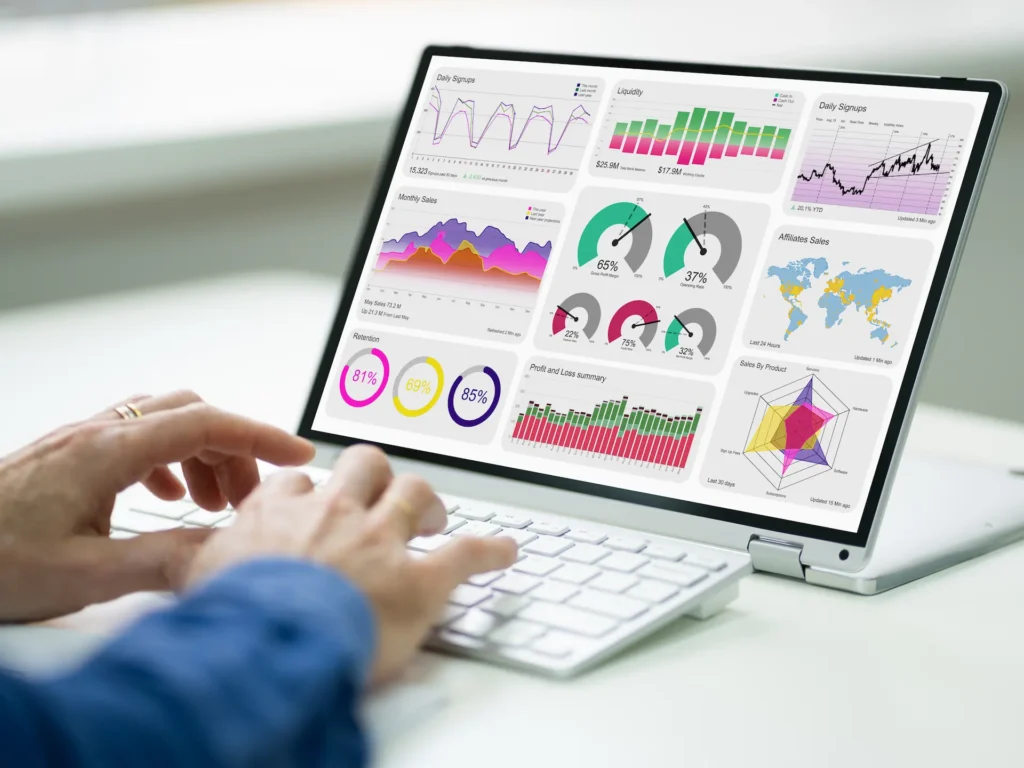
Power BI is a tool specifically focused on business intelligence. Power BI remains a part of the Microsoft Power Platform but now also serves as a core component of the Microsoft Fabric ecosystem, providing the visualisation and reporting layer for the unified analytics experience. It excels in data Visualisation, enabling businesses to create interactive reports and dashboards.
Role within Microsoft Fabric: In the Microsoft Fabric ecosystem, Power BI provides the business intelligence layer, allowing users to Visualise and interact with the data processed and managed within the Fabric platform.
Power BI is used by businesses for creating data Visualisations, generating reports, and performing analytics on data to aid in decision-making. Power BI stands out for its ability to turn volumes of data from various sources into coherent, visually immersive, and interactive insights.
In essence, while Power BI is a leading tool for business intelligence and data Visualisation, Microsoft Fabric provides a more extensive infrastructure for end-to-end data management, advanced analytics, and real-time data processing, which are beyond the scope of Power BI’s capabilities.
With the integration of Copilot in Power BI, users can now generate visuals, summaries, and insights using natural language, further lowering the barrier to self-service analytics.
Key Differences Between Microsoft Fabric and Power BI
As we navigate the evolving landscape of business intelligence and data analytics, understanding the distinct functionalities and strengths of Microsoft Fabric and Power BI becomes crucial. While both are integral parts of Microsoft’s analytics offering, they serve different purposes and cater to varied needs within an organisation.
What Microsoft Fabric offers
- Comprehensive Data Management: Fabric brings together tools for data engineering, data factory, and data warehousing, supporting large-scale data transformation and management, capabilities that go far beyond Power BI’s scope. It’s ideal for enterprises needing full control over complex, multi-domain data operations.
- Advanced Data Science and Machine Learning: Fabric supports the creation, deployment, and management of machine learning models. These models can then be surfaced in Power BI for predictive analytics, helping businesses make proactive, data-driven decisions.
- Real-Time Intelligence (RTI): Replacing the older “Observational Data” feature, Real-Time Intelligence (RTI) enables real-time streaming analytics. Businesses can process and visualise IoT or live event data instantly, empowering industries like logistics, finance, and manufacturing to act on insights in the moment.
- OneLake – Unified Data Storage: Fabric’s OneLake acts as the “OneDrive for data,” unifying all analytics data in a single storage layer. In 2025, OneLake Shortcuts now supports cross-domain linking, meaning you can connect SharePoint, Azure Data Lake, and even third-party storage directly into OneLake for seamless data access and sharing.
- Mirroring for Near Real-Time Database Sync: The new Mirroring feature enables near real-time synchronisation from external databases (like SQL Server, Snowflake, or Cosmos DB) into Fabric. This dramatically reduces latency and simplifies integration, allowing up-to-date data to flow directly into your analytics environment without complex ETL pipelines.
- Centralised Governance and Compliance: Fabric continues to offer unified administration and governance across all its services, including Power BI. It ensures data quality, lineage, and regulatory compliance, essential for organisations managing large, distributed data estates.
What Power BI Offers
- 1. Advanced Data Visualisation and Reporting: Power BI remains Microsoft’s premier visualisation platform, enabling users to build dynamic dashboards and reports that transform complex datasets into clear, actionable insights.
- Self-Service Business Intelligence: Designed for accessibility, Power BI empowers non-technical users to explore and analyse data without relying on IT. This democratisation of data promotes faster, more agile decision-making across teams.
- Copilot in Power BI Service: With Copilot now built directly into Power BI Service, users can describe visuals in plain language, and Power BI automatically creates charts, reports, or summaries. This AI-powered experience accelerates insight generation, even for non-technical users.
- Direct Lake Mode (Replaces Import/DirectQuery): Direct Lake Mode, now mainstream in 2025, delivers the performance of import mode with the freshness of DirectQuery. It enables Power BI to query Fabric’s OneLake directly without data duplication, ensuring instant updates and blazing-fast performance.
- Integration with Microsoft Fabric: While Power BI focuses on business intelligence, its deep integration with Fabric allows users to tap into the entire analytics pipeline from raw data ingestion to real-time visualisation, all within one unified environment.
In 2025, Power BI’s Direct Lake mode enables near real-time visualisation on Fabric’s OneLake data without duplication, combining the speed of import mode with the freshness of DirectQuery.
When to Use Each Microsoft Fabric vs Power BI
Use Microsoft Fabric when your need involves comprehensive data management, handling large-scale data, integrating advanced analytics or machine learning models, and when dealing with real-time data processing.
Use Power BI for creating visual representations of data, conducting business intelligence analysis, and when the primary need is to generate interactive reports and dashboards for decision-making.
In a business context, Microsoft Fabric is more suitable for backend data operations and infrastructure management, while Power BI is ideal for front-end data Visualisation and reporting.
Exploring the Integration of Microsoft Fabric with Power BI
Microsoft Fabric integrates with Power BI through its comprehensive data management and analytics infrastructure, enhancing the capabilities of Power BI in several ways.
Fabric’s unified data environment (OneLake) provides a centralised data repository which Power BI can access for visualisation and analysis. This allows Power BI to draw from a more extensive and diverse set of data sources managed by Fabric.
With Fabric’s advanced data science and real-time analytics features, Power BI users can incorporate more sophisticated analytics, like machine learning insights and real-time data streams, into their reports and dashboards. The integration ensures that Power BI adheres to the centralised governance and security protocols established in Fabric.
This unified approach to data management and compliance extends to the visualisations and reports created in Power BI. Integration with Microsoft Purview and Fabric’s unified governance is now standard. Power BI datasets are stored in the same Lakehouse as Fabric data, improving query performance.
Power BI benefits from the shared SaaS foundation of Fabric, offering users a familiar and consistent interface across different data analytics tasks. Both Power BI and Fabric now share the same SaaS environment under Microsoft Fabric. This means a unified workspace experience – security, data governance, and capacity management are consistent across workloads.
Benefits of Combining Microsoft Fabric with Power BI
The integration of Microsoft Fabric with Power BI opens up a world of possibilities, combining Fabric’s robust data management with Power BI’s advanced visualisation capabilities. This powerful amalgamation offers unique benefits that can transform the way organisations handle and interpret their data. Whether you’re in retail, healthcare, finance, e-commerce, or any data-driven sector, understanding these benefits can redefine your approach to data management and analytics.
- Leveraging Fabric’s comprehensive data management and Power BI’s Visualisation tools allows for deeper, more actionable insights. For instance, a retail company can leverage this integration to combine sales data, customer feedback, and supply chain information, all managed in Fabric, to create comprehensive dashboards in Power BI. These insights can reveal buying trends, inventory needs, and customer preferences, leading to better stock management and targeted marketing campaigns. The depth of insight comes from the breadth of data sources and advanced analytics capabilities, enabling a holistic view of the business.
- Unified data management and analysis streamline workflows, improving efficiency and reducing the complexity of handling large data sets. Consider a healthcare provider managing vast patient records, research data, and operational information. Fabric’s data management capabilities can centralise this data, while Power BI can be used to visualise patient outcomes or operational efficiency. This streamlining leads to quicker, more efficient data processing and reporting, reducing the time from data collection to actionable insights.
- Access to real-time data and advanced analytics enhances the organisation’s ability to make informed, timely decisions. In a financial services firm, real-time market data and customer transaction histories can be analysed using Fabric’s real-time analytics, with trends and patterns visualised in Power BI. This enables rapid, data-driven decision-making in response to market changes, enhancing the firm’s agility and competitive edge.
- The combination supports scalable and flexible data strategies, accommodating growth and evolving business needs. A growing e-commerce business can benefit from the scalability of Fabric to handle increasing volumes of transactional and customer data, while Power BI’s flexibility allows for customised reporting as the business evolves. This adaptability ensures that the business’s data infrastructure grows with its needs.
- Centralised governance ensures data security and compliance, crucial in a data-driven environment. A multinational corporation must comply with various data privacy regulations. Fabric’s centralised data governance ensures compliance across all departments, while Power BI’s integration maintains these standards in data reporting and Visualisation. This unified approach to governance and security minimises the risk of data breaches and non-compliance penalties.
Thanks to Copilot integration, Fabric and Power BI users can now automatically generate reports, narratives, and insights using natural language, turning raw data into actionable intelligence faster than ever before.
How Microsoft Fabric Elevates Power BI’s Capabilities
In the realm of data management and visualisation, the integration of Microsoft Fabric with Power BI represents a significant enhancement in Power BI’s capabilities. Renowned for its effective data visualization, Power BI’s functionality is greatly expanded when combined with Microsoft Fabric’s comprehensive data management tools.
While Power BI has many connectors, Fabric’s data management capabilities enable the consolidation and pre-processing of data from these diverse sources into a unified data lake (OneLake). This centralised data repository can be directly accessed by Power BI, making it easier to pull in and visualise a wider array of data, including those that might require extensive pre-processing or are not directly connectable via Power BI.
Fabric’s data engineering tools, like Dataflows Gen2 and Data Pipelines, handle data ingestion and transformation at scale, while Direct Lake mode lets Power BI access data instantly from OneLake, eliminating the need for data duplication or scheduled refreshes.
This preprocessing improves the data’s quality, ensuring that Visualisations in Power BI are based on accurate and reliable data. Fabric’s integration with advanced analytics tools, such as machine learning and real-time analytics, allows Power BI to access and visualise these sophisticated data sets. Power BI can then present this complex data, like predictive models or real-time streams, in an easily digestible format.
The data engineering and transformation capabilities within Fabric streamline the data preparation process. This means that by the time data reaches Power BI for visualisation, it is already in a format that is easier to work with, reducing the time and effort required to create reports and dashboards.
Fabric’s centralised governance ensures that the data managed within its ecosystem, and subsequently accessed by Power BI, adheres to organisational and regulatory standards. This integration means that data Visualisations and reports generated in Power BI are automatically compliant with these standards.
Why Choose a Power BI Consultant for Your Microsoft Fabric Integration
In today’s data-centric business environment, effectively integrating Microsoft Fabric with Power BI is pivotal for leveraging the full potential of your data analytics. While IT specialists offer a broad understanding, the specialised expertise of a Power BI consultant can significantly enhance the efficiency and effectiveness of this integration.
A Power BI consultant can tailor Power BI solutions specifically for your business needs and optimise them for the best performance. They can design optimised workspaces, implement capacity management, and ensure governance compliance across AI-driven workloads, reducing cost and maximising ROI.
They would assess your current data infrastructure, workflows, and usage of analytical tools (like Power BI), and then identify areas for improvement. This could include streamlining data collection and processing, enhancing data quality, recommending better integration methods, and suggesting more effective ways to utilise data analytics for business decision-making. Their expertise allows for a comprehensive review and tailored solutions to improve data optimisation in your organization.

Integrating with Microsoft Fabric can be complex due to its comprehensive nature, involving various components like data lakes, data engineering, and advanced analytics. Without expert guidance, there’s a risk of the technology not aligning well with specific business goals. A Power BI consultant helps navigate these complexities, ensuring effective implementation and alignment with business needs.
Although consultants can be expensive, the long-term gains and costs saved when troubleshooting or resolving mistakes during set-up are far greater. A consultant can quickly identify and resolve issues that might take much longer to figure out without their help. Slow response to data-driven insights could mean missing out on key business opportunities. Prolonged issues may eventually require more resources to fix than if addressed promptly by a consultant.
Beyond technical know-how, consultants can offer strategic advice on how to best leverage Power BI and Microsoft Fabric for business insights and decision-making. They can guide you in using the advanced features of both, which might not be fully covered in online tutorials.
Engaging a Power BI consultant to integrate Microsoft Fabric into your business processes is more than just a technical decision; it’s a strategic investment in your organisation’s data-driven future. Their specialised expertise not only ensures a seamless and effective integration but also brings long-term value through optimised performance, strategic business insights, and the avoidance of costly mistakes.
Conclusion
The synergy between Microsoft Fabric and Power BI now represents a unified, AI-enhanced analytics experience. With Copilot simplifying report creation and Direct Lake enabling instant, real-time access to enterprise data, organisations can deliver insights faster, at scale, and with enterprise-grade governance built in.
Microsoft Fabric’s comprehensive data management, combined with Power BI’s robust visualisation tools, provides a unified solution for advanced data processing and analysis. This combination allows for deeper insights, streamlined workflows, and informed, timely decision-making. The use of Microsoft Fabric enhances Power BI’s capabilities, offering a scalable and flexible approach to data strategy, while also ensuring centralised governance for data security and compliance.
Utilising Synapx’s Power BI services for this integration can optimise implementation, aligning technology with business goals and maximising the potential of data-driven strategies.